
Player Options
A player option is a choice players make about how the GM runs their game: how long replies are, how hard the story pushes, how deadly fights are, which house rules apply.
All a player option really does is swap out instructions to the GM. Each choice carries its own GM instructions, and only the picked choice's instructions go to the GM. The others aren't sent at all. A choice with no instructions changes nothing.
Say your world has a Difficulty option with three choices: Story, Standard and Brutal. A player who picks Brutal gets a GM that was given Brutal's instructions and nothing from the other two. Nothing else about the game changes.
Craft's player options
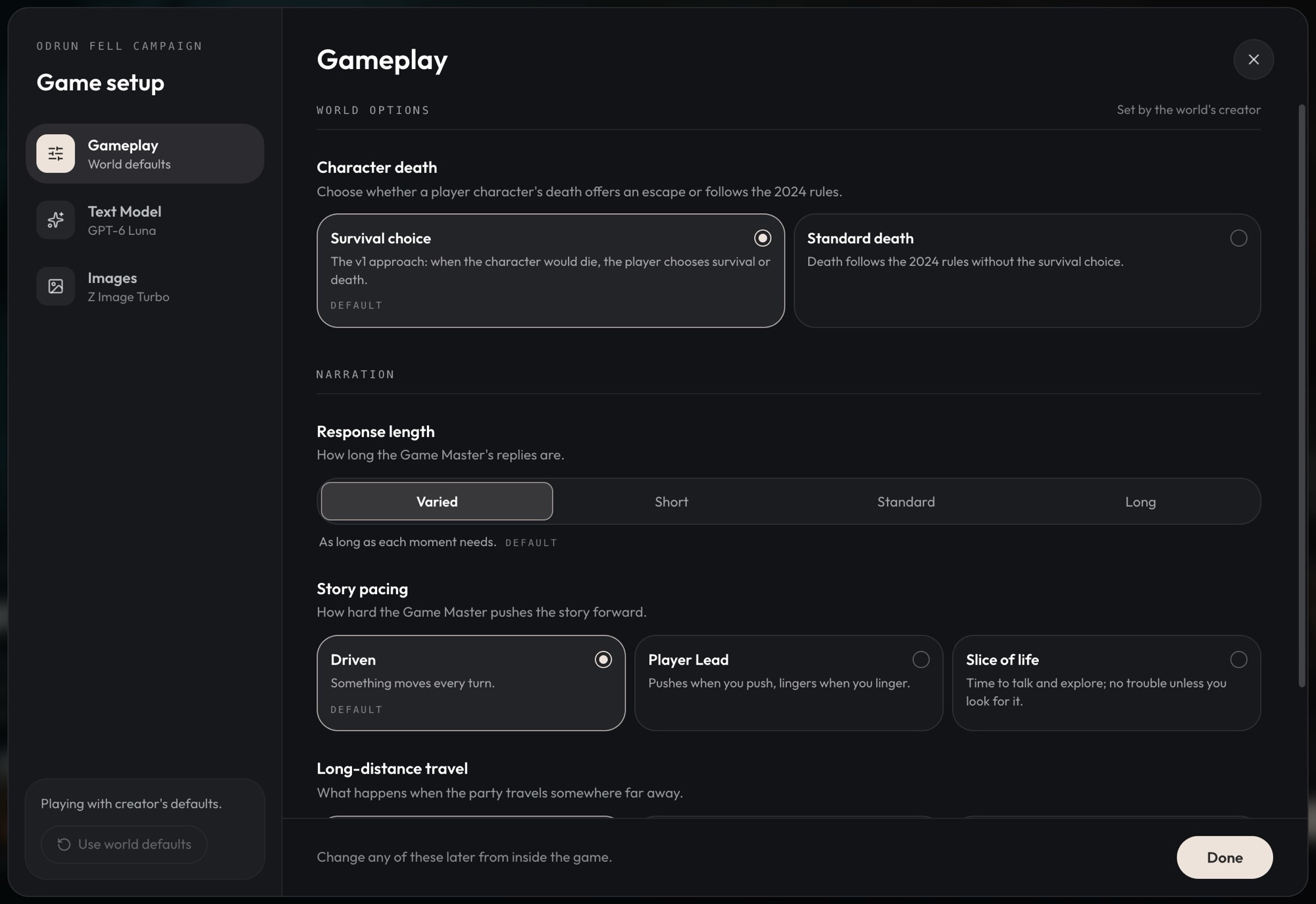
Every world starts with three of Craft's options. The first choice of each is the default.
| Option | Choices |
|---|---|
| Response length | Varied (as long as each moment needs), Short (a paragraph or less), Standard (one to three paragraphs), Long (three to five paragraphs) |
| Story pacing | Driven (something moves every turn), Player Lead (pushes when you push, lingers when you linger), Slice of life (time to talk and explore, no trouble unless you look for it) |
| Long-distance travel | Up to the GM (the GM decides when the road is worth playing), Fast travel (skip ahead to the destination), Journey (travel there step by step, with the road played out) |
Varied and Up to the GM bring no instructions at all: the GM decides for itself. You can change, move or remove Craft's options like any of Craft's defaults (see The Game Master).
Making your own
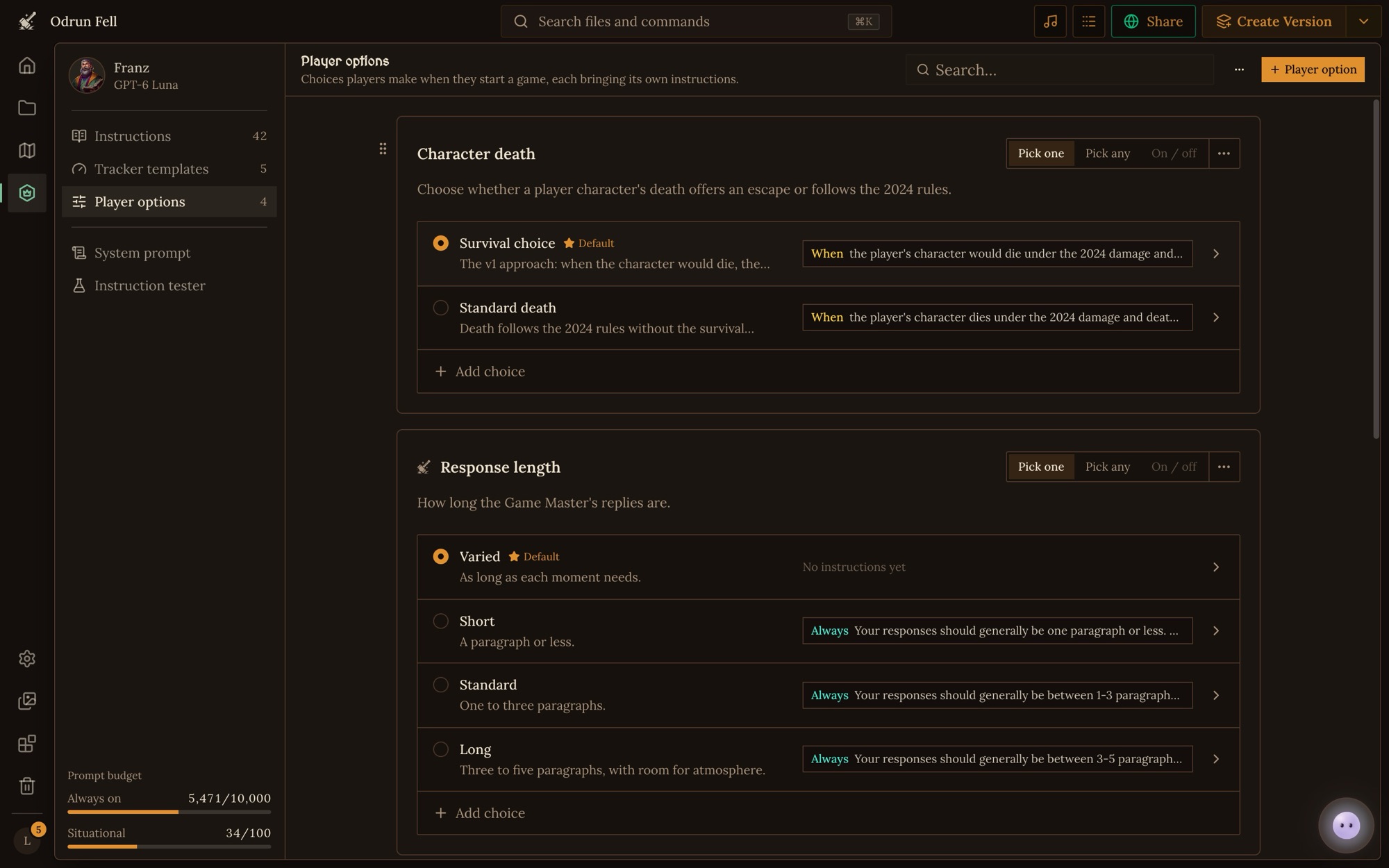
Open the Game Master place from the crowned die on the workspace's left rail, go to Player options, and click + Player option. Each option is a panel shaped like what players see:
- Its name, like Difficulty, and the question players see under it.
- How players pick: Pick one (one choice; four or more show as a dropdown), Pick any (any number, or none) or On / off (a switch with exactly one choice: on brings its instructions, off brings none).
- A ⋯ menu to move the option, compare its choices side by side, or delete it. Drag the grip at its left edge to reorder.
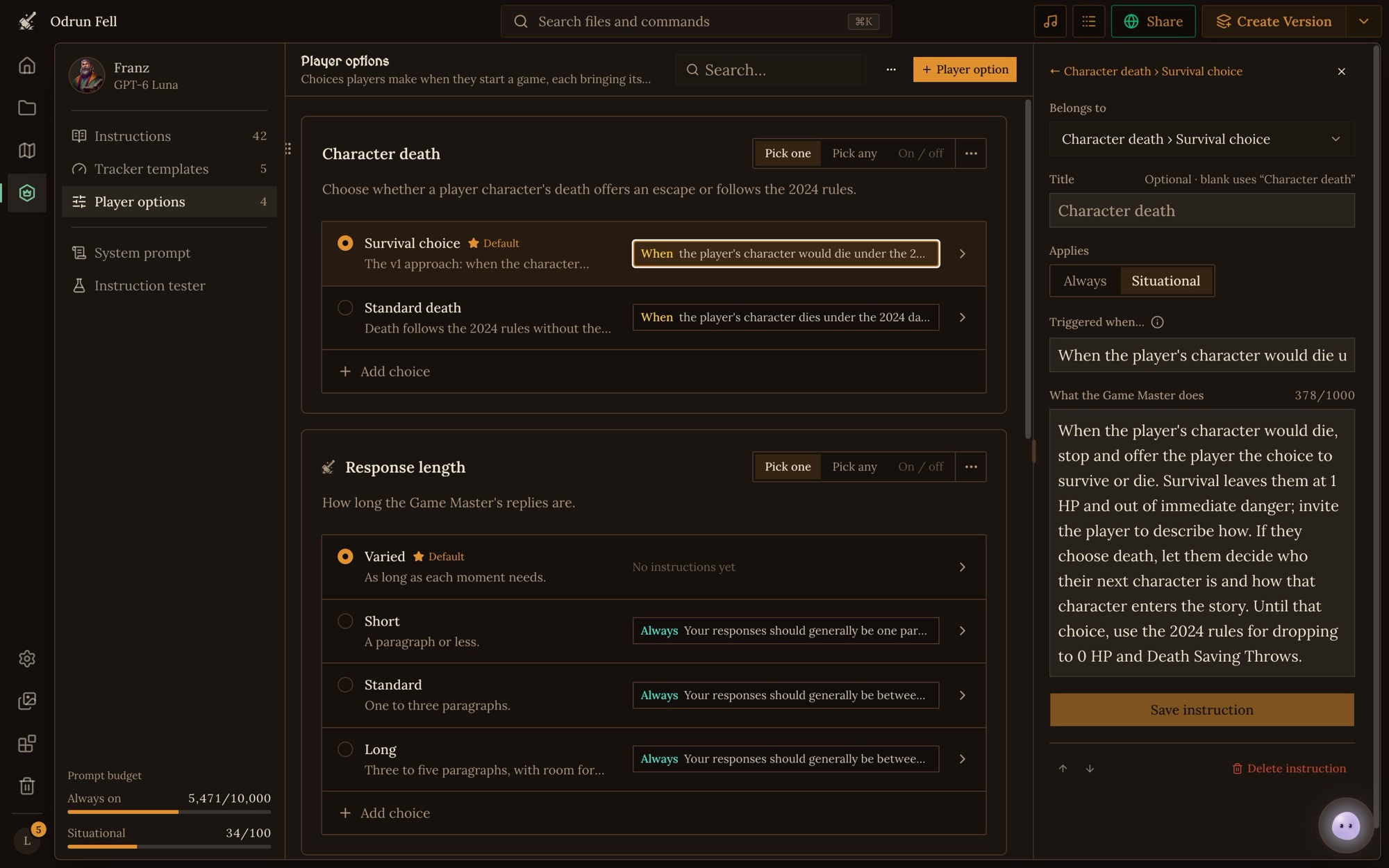
Click a choice, or Add choice, to open it:
- Name and a Description players see.
- Picked by default: what a new game starts with. A pick-one option always has exactly one default.
- What it makes the Game Master do: the instructions this choice brings. Click Add instruction to write one.
A choice's instructions work like any other: an always one sits in the GM's system prompt while the choice is picked, and a situational one comes up on its trigger while the choice is picked. See The Game Master for how instructions work.
If a rule should change with an option, it belongs in that option's choices, not in your Instructions. Say you add a Terse narration style. Move your usual narration rules out of Instructions into a "World default" choice beside Terse, or the GM gets both.
Trackers that belong to an option
A tracker can be kept to games where certain choices are picked, like a Supplies tracker that only comes with a Hardcore survival option. In the tracker's form, open Availability, set Available in to With player options, and tick the choices. See Trackers.
Where players pick
- Before the game starts, in the lobby: click Game settings, then the Gameplay tab. Each option starts on its default.
- During the game: open Quick settings and go to Gameplay. Changes apply from your next turn, and the GM is told what changed. Only the game's owner can change them.
To see what the GM gets with a set of picks, open the System prompt page in the Game Master place and click Change player options.
Customizing a game's options
If you own a game, you can rewrite its options for that game alone. In Quick settings → Gameplay, click Customize (or "Customize these options for your game"). The game's Game Master place opens on Player options, and anything you change there stays in that game.
Good uses
- Tone: grim, hopeful, comic.
- Difficulty and lethality: whether death is final, how hard checks are.
- House rules players may or may not want, like flanking or critical fumbles.
- Narration style: how much the GM describes, whose view it follows.
Rules every game needs belong in Instructions, and anything the GM should keep count of belongs in a tracker.
Limits
- 9 player options in a game, Craft's three included. Remove one of Craft's to free a place.
- 8 choices in each option.
- A choice's instructions count toward the same budget as your Instructions: 10,000 always on characters and 100 situational instructions, counting the longest choice of each pick-one option and every choice of the others.