A Glossary of Craft Terms
Why this glossary exists
Craft borrows words from games, software, and AI tooling, and a few of them mean something specific here that they don’t mean elsewhere. This page is the cheat sheet. Skim it when you’re getting started, or come back to it any time a term in another help article isn’t landing.
Workspace basics
These are the structural pieces of Craft you’ll see in almost every screen.
-
Project — Your main workspace for a single world or system. Holds folders, files, file types, settings, and any maps or media you generate.
-
World — A project type: a playable setting with its own characters, locations, and campaign. Chosen when you create the project; changeable later in Settings → Project.
-
System — The other project type: a rules framework that exists for other people to build on. Systems can’t be played directly — they’re always clonable so anyone can start a new project from them.
-
File — The atomic piece of content inside a project. A character sheet, a location, a lore entry, a spell — anything in your world is a file.
-
File Type — The template a file is built from. Defines the schema (which fields exist) and the layout (how those fields render).
-
Folder — Free-form organization inside a project. Any file type can live in any folder.
-
Schema — The list of fields a file type has. Editable from the file type editor.
-
Layout — How a file’s fields are arranged on screen. Each file type has its own layout, generated automatically when you create the type.
Playing the game
These show up once you start a game from a project.
-
Game — A play session started from a project. One project can have many games running off it at the same time.
-
GM — The AI Game Master that runs your game. Each world sets its GM's name, portrait and voice, and shapes how it plays with GM Instructions. See The Game Master.
-
Current state — What the GM keeps about the game right now: who's in the scene and where they stand, the time, and the trackers. Change your HP, a tracker or a file between turns, and the GM plays from the new values.
-
Trackers — Counts and lists the GM keeps up to date during play, like the time, objectives, a fight's turn order or a ticking clock. They sit at the top of the game screen. See Trackers.
-
What changed — The card under a reply that lists what the turn changed: HP lost, items gained or spent, objectives new or done.
-
Inspect turn — Opened from a reply's ⋯ menu. Shows the rules the GM used, what it looked up, its dice and what it changed. See The Game Screen.
-
Scene image — A picture of the current scene, made with Create scene image in the + menu beside the turn input.
-
Pinned Files — Files pinned to a game's side panel for players to open during play, like an important faction or a game rule. A world sets them in Settings → Pinned Files.
-
Image Bank — Craft's library of ready-made art. With Use Craft Image Bank (Free) on, the pictures for new characters, items and places in a game are free. See The Craft Image Bank.
-
Game Start — A saved opening players pick from when they launch a game: a starting location, selectable characters, and how the story opens. See Game Starts.
-
Prelude — A cinematic intro flow that plays once when a player starts a game — title screens, choices, and character creation — before the first GM message. See The Prelude Editor.
The Game Master
These are the words for shaping how the GM runs your world.
-
Game Master place — The crowned die on the workspace rail. It holds the GM's profile, GM Instructions, tracker templates, player options, the system prompt and the Instruction tester. See The Game Master.
-
GM Instructions — The rules the GM follows, written in the Game Master place. Always on instructions apply to every turn. Situational ones apply only when their moment comes, and the GM reads a procedure when it needs its steps. See Writing GM Instructions.
-
Situational instruction — A GM Instruction with a trigger, such as “When the party enters a city…”. The GM gets it only on turns where its moment comes, at most five at a time.
-
Procedure — A GM Instruction holding the steps for running a longer moment, like a fight or a negotiation. The GM sees every procedure's title and when to use it, and reads the whole procedure when that moment comes. See The Game Master.
-
Player options — Choices a player makes for their game, like Response length or Story pacing. Each choice only swaps which instructions the GM gets. See Player Options.
-
Tracker templates — The trackers a world defines for its games, like a heist's Heat or a faction's standing, made in the Game Master place. See Trackers.
Maps and locations
Maps live on location files, and each place can have a map of its own. See Maps and Locations.
-
Area — An outline drawn on a map (a polygon, rectangle, circle or hexagon), usually linked to the location it marks, like a district or a forest. See Drawing Maps.
-
Exit — A pin or area on a map that is a way to another location: a door, stairs, a gate, a portal. The GM offers it as a move. See Exits and Linked Locations.
-
Linked location — A location tied to another without a spot on a map: part of it, another part of the same place, or a separate place joined by a way. Added in a map's Linked locations section. See Exits and Linked Locations.
-
Root map — The world map a project opens on. Every other map sits somewhere below it. See Maps and Locations.
-
Transport — A location that carries people, like a ship or a caravan. Its own map is where people aboard stand, and its pin moves as it travels. See Exits and Linked Locations.
The AI assistants
Craft has two AIs, and they do different jobs.
-
Orbit — Your world-building partner. Open it from the Orbit button at the bottom right of a project (or ⌘J), and from the Assistant button on the game screen for out-of-character help. Orbit can create files, write GM Instructions, generate images, build layouts, and reorganize your project for you. See Orbit, Your Personal Assistant.
-
Agent tools — The named actions Orbit and the GM take during a reply. The GM looks things up, creates and updates files, and rolls dice. Orbit reads and writes your project, builds layouts and generates images. You don’t call these yourself. See Agent Tools.
-
OOC chat — Out-of-character chat with Orbit during a game, from the Assistant button. It keeps a separate memory from the story, so your questions don’t pollute it.
How the GM knows your world
-
Context visibility — Whether the GM can see a file. Every file is visible unless you hide it, and the GM looks files up as it needs them. See Context Visibility.
-
Game memory — What the GM remembers of earlier play. As a game grows, Craft summarizes older turns, and the GM looks back through them when it needs a detail. See Game Memory.
Bundling and sharing
Once you’ve built something, these are the words for moving it out into the world.
-
Package — A publishable slice of a project — like a pack of items, spells, or monsters. Smaller and more modular than a full project. See Packages.
-
Release — A specific published snapshot of a project (also called a version). Updating your project doesn’t change live releases; you publish a new release to ship changes.
-
Clone — Copy someone else’s published project into your own workspace as an editable private project.
-
Discover — The community feed where published projects show up.
-
Profile — Your public page. Lists your published projects and packages, your likes, and your followers.
Import, export, and media
-
CDF (Craft Data Format) — Craft’s portable project format. A Workspace CDF is a zip of CDF files (.md / .json world files) plus the project’s file type definitions. Used for export, import, and local editing with the Craft CLI.
-
Import — The page where you bring an existing project into Craft. Reachable from the Import Project button on the New Project page.
-
Studio — A standalone media workshop for generating images, videos, and music outside of any specific project. See The Studio.
Energy, credits, and pricing
-
Energy — Your daily allowance for AI requests. Refills each day. Different actions cost different amounts of energy depending on how much the model has to read and write.
-
Credits — On-demand top-ups you can spend instead of energy, with the Use Credits switch wherever Craft offers one. Handy when your daily energy runs out. Credits don’t expire.
-
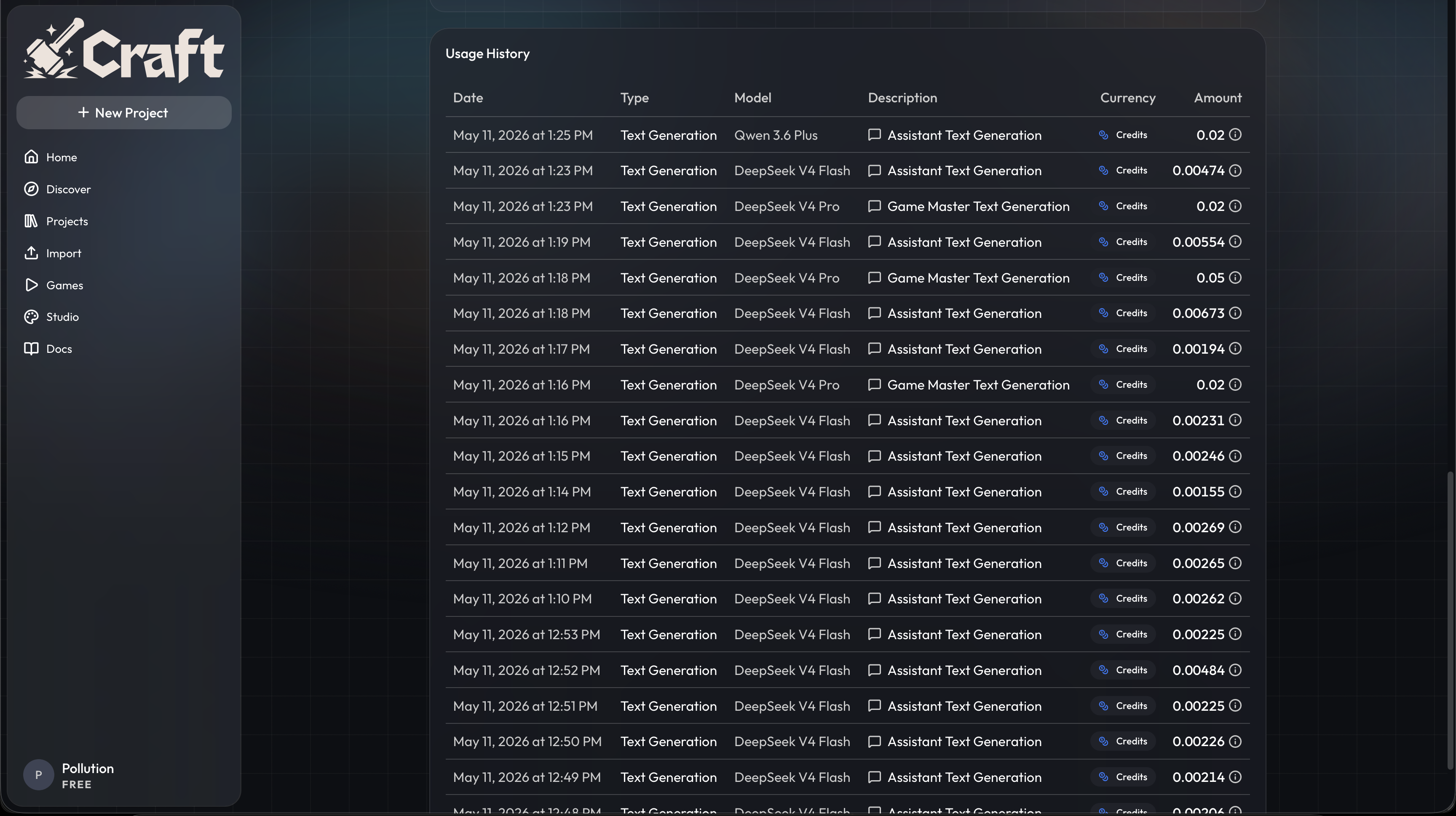
Usage history — A line-by-line record of what each AI action cost. Lives in Settings → Usage.