
The Craft Image Bank
Every new character, item and place the GM adds to your game needs a picture, and drawing one takes time and costs money. The Craft Image Bank fixes both. It's a library of ready-made art that the GM searches before it draws anything new. With it on, which it is by default, every picture the GM adds is free.
How it works
When the GM makes something new in your game:
- It looks in the bank for a picture that fits: the same kind of person, creature, object or place, looking the way the new file describes it, in your world's art style.
- A match is used straight away. It comes back in a fraction of a second, so pictures land almost as soon as the story needs them.
- With no match, a new picture is drawn on the bank's own model, still free, and added to the bank. The next game that needs something like it finds it.
New pictures are checked before other games can find them in the bank.
New places come as a set
A new place needs a picture and a map. The bank looks for the two together, and prefers a picture that comes with a matching map, so nothing has to be drawn at all. Maps are matched to the place's size, so a tavern gets a battle map, a town gets a town map, and a region gets a region map.
Everyone gets a face
Background characters the GM brings into a scene, like the shopkeeper or the guards at the gate, get portraits of their own on the map instead of a letter in a circle. If the bank has no one close enough, a face is made for them, free.
It fits your world
Pictures for new files and maps are matched against your world's own art style, so an anime world doesn't get oil paintings. Background characters' faces follow your world's art style and genre tags: an anime sci-fi world gets anime faces in a sci-fi setting. A world without those tags gets Craft's default painted look.
The switch
The setting is Use Craft Image Bank (Free). Find it under Images in the lobby's Game settings before you start, or in Quick settings during a game. It's on by default, and your choice is saved in your browser.
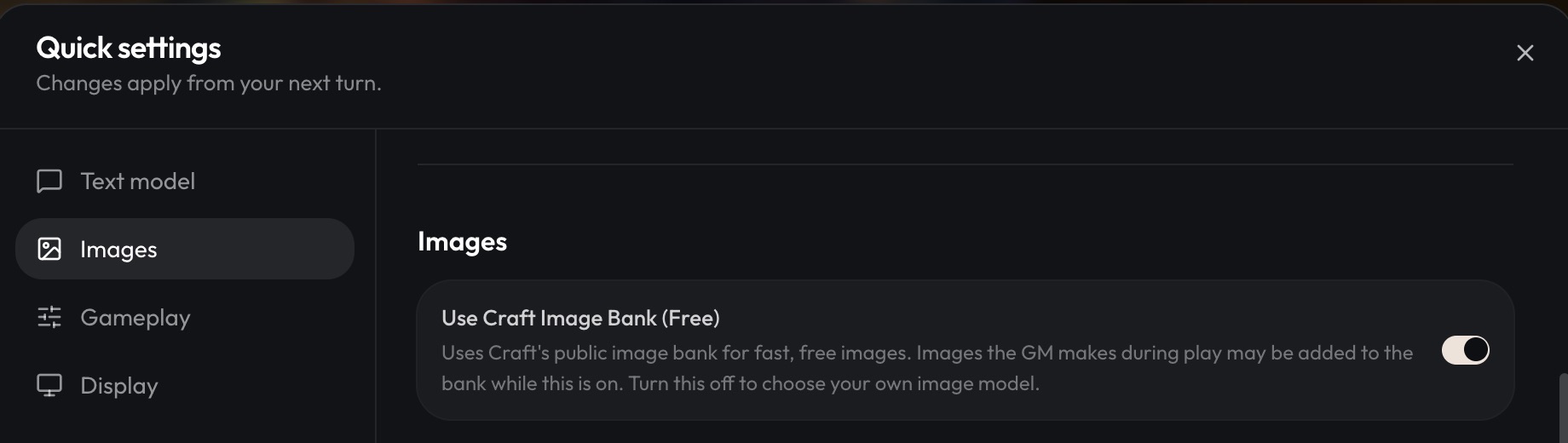
- On. Every picture the GM adds is free: pictures for new characters, creatures, items and places, maps for new places, and faces for background characters. Craft picks the model, so there's no image model to choose. Pictures drawn for your game while it's on may be added to the bank for other games to use.
- Off. Pick your own image model, and turn Image generation on or off. Every picture is drawn on your model at its usual price, paid by the game's owner. Your pictures stay yours and are never added to the bank. Background characters keep a letter instead of a face.
What isn't free
The switch covers the pictures the GM adds during play. Pictures you ask for yourself are charged as usual:
- Create scene image, from the + menu in a game, is drawn on your image model.
- Images you generate in your workspace or in The Studio, including character expressions.
See Energy and Credits for how charges work.