
Exits and Linked Locations
A pin on a map says where a place is. It doesn't say how you get there: the stairs up to an inn's second floor, the gate out of town, the portal to the Feywild, the road between two villages. Exits and linked locations say that. The GM uses them to move the party: it offers each way as a move ("stairs up to the Top Floor"), brings people in where a way comes in, and keeps track of which places are parts of which.
- An exit is a pin or area on a map that is a way to another place: the door drawn on a floor plan, the gate on a town map.
- A linked location says how two places relate with no spot on a map: two rooms of one house, a cellar under the kitchens, a road between two towns.
- A transport is a place that carries people, like a ship or a caravan.
Exits
Any pin, token or area can be an exit. Select it, then turn on Exit ("A way to another place: a door, stairs, a road out") in the side panel.
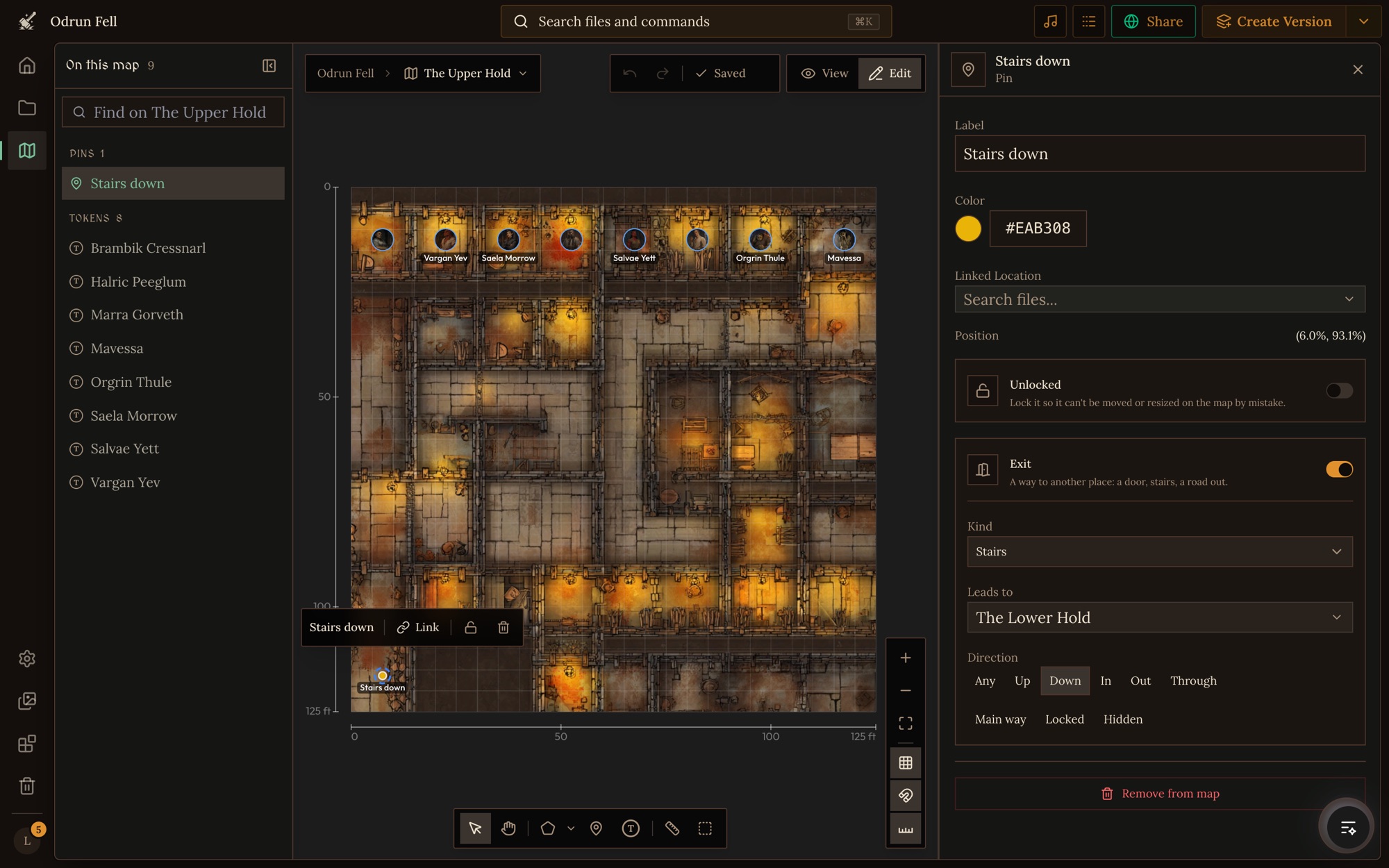
- Kind. Door, Gate, Stairs, Ladder, Hatch, Path, Road, Dock, Portal or Other.
- Leads to. The location it goes to. Leave it on Out to the parent location for the way out: an inn's front door leads out to whichever place the inn's map sits in.
- Direction. Which way it runs from here: Any, Up, Down, In, Out or Through.
- Main way marks the main way in and out, where someone arriving comes in. Locked means locked or barred. Hidden is for a secret door or a hidden hatch that isn't obvious to someone looking.
In Odrun Fell, The Upper Hold's cell block has a "Stairs down" pin whose exit leads to The Lower Hold. Two things to keep in mind:
- Don't link the exit's pin to the place it leads to. A Linked Location on a pin means "this place is here", and the Lower Hold isn't on the Upper Hold's floor.
- Don't also pin the place on this map. The inn's upper floor is reached through the stairs, not drawn on the ground-floor plan.
The editor marks exits on the canvas, and draws hidden ones faded. Players never see exit markers on a game's map, so a hidden door stays secret until the story reveals it.
Linked locations
A linked location connects two places without drawing anything. Use one when there's no map to draw on, or when the place isn't in the picture: a cellar, the floors of a tower, a realm bridged by a rainbow. Linked locations show as badges around the map, on the side their way points to.
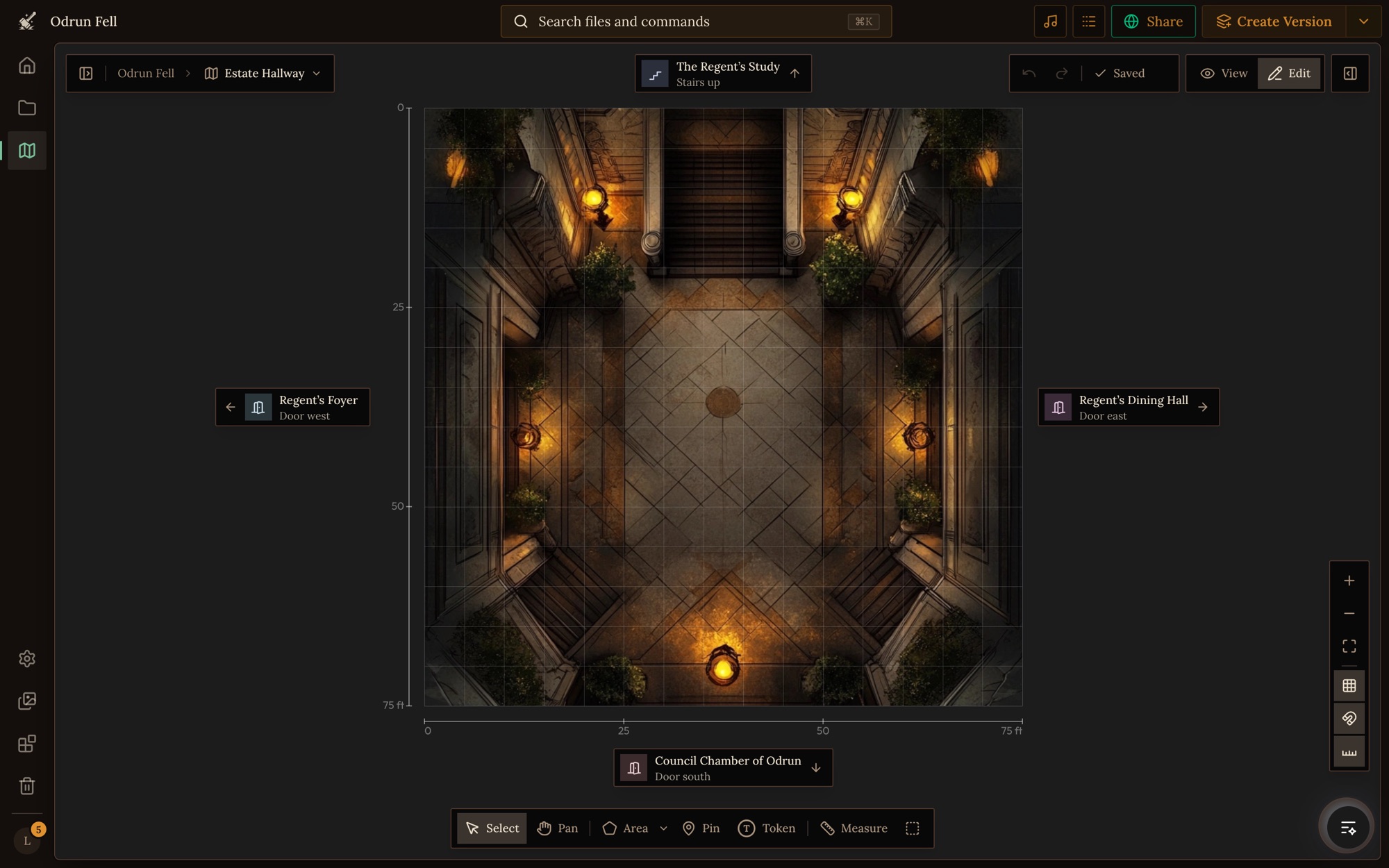
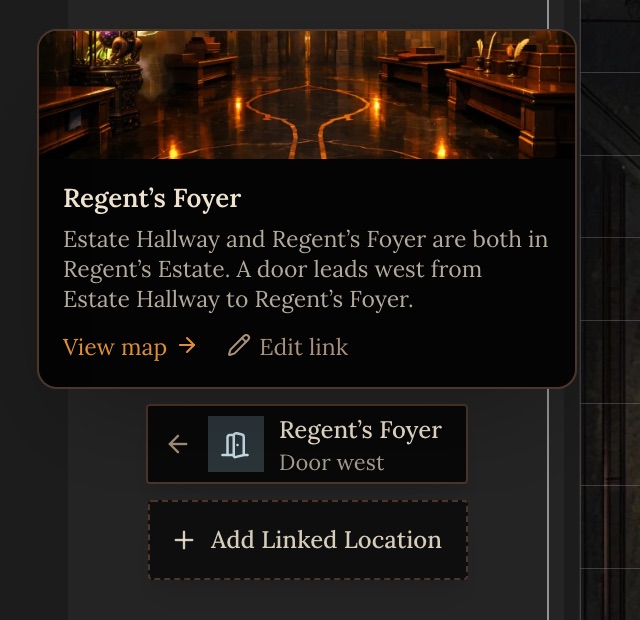
Here the Estate Hallway links to four rooms of the Regent's Estate. The Study is up the stairs, so its badge sits above the map. The Foyer's door is to the west, so its badge sits on the left. Clicking a badge opens that place's map. Hovering one shows its picture, the link as a sentence, View map and Edit link.
Adding a linked location
There are three ways to start:
- In Map settings, open Linked locations under This place and click Add Linked Location.
- Hover the empty space beside the left, right or top of the map. A dashed Add Linked Location button appears, with the direction already set from that side.
- Use the Add Linked Location button below the map.
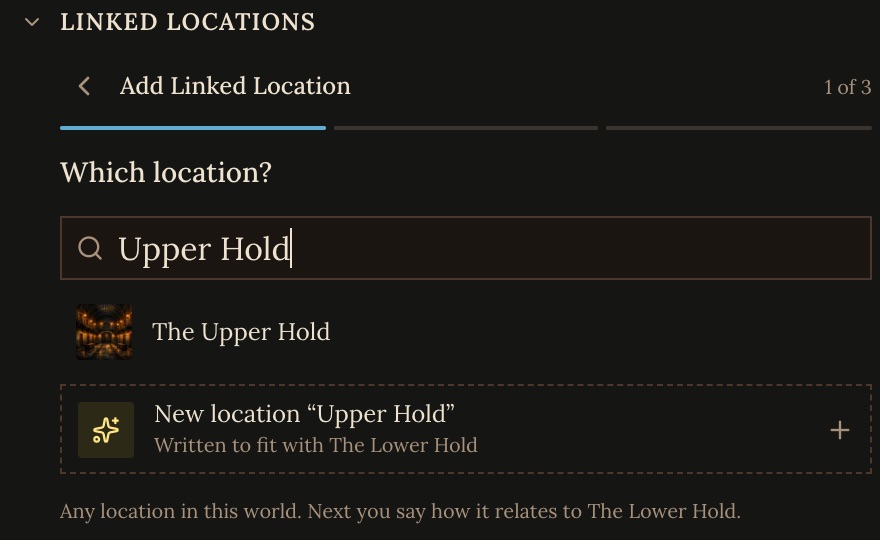
1. Which location? Search any location in the world. If the place doesn't exist yet, the last row, New location, opens the New File dialog with a draft written to fit beside this place ("Linked to …", or "Above …", "West of …" when you started from a side). Save it and the flow carries on with the new place picked.
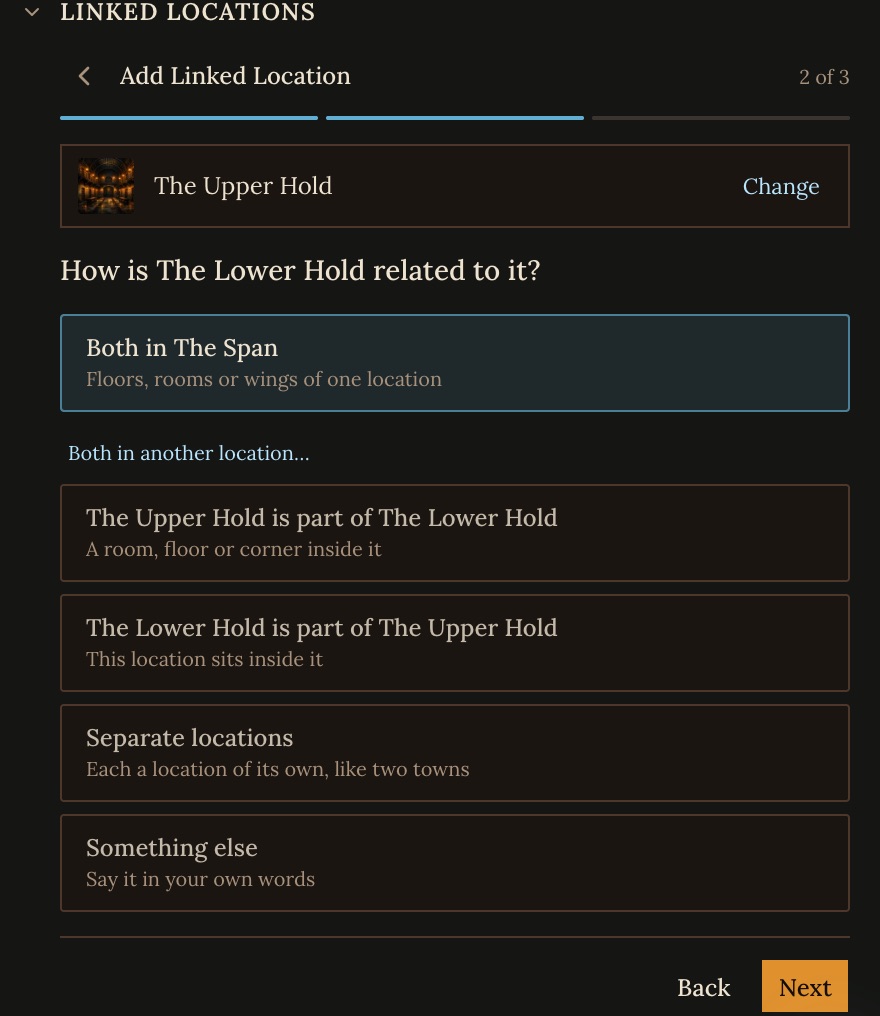
2. How are they related? Pick the answer that fits:
- Both in one location: floors, rooms or wings of one place. You pick the place they're both in, such as both in The Span.
- One is part of the other: a room, floor or corner inside it, like a cellar under the kitchens.
- Separate locations: each a place of its own, like two towns, joined only by the way between them.
- Something else: say it in your own words, such as "was built on the ruins of" or "is the Shadowfell reflection of".
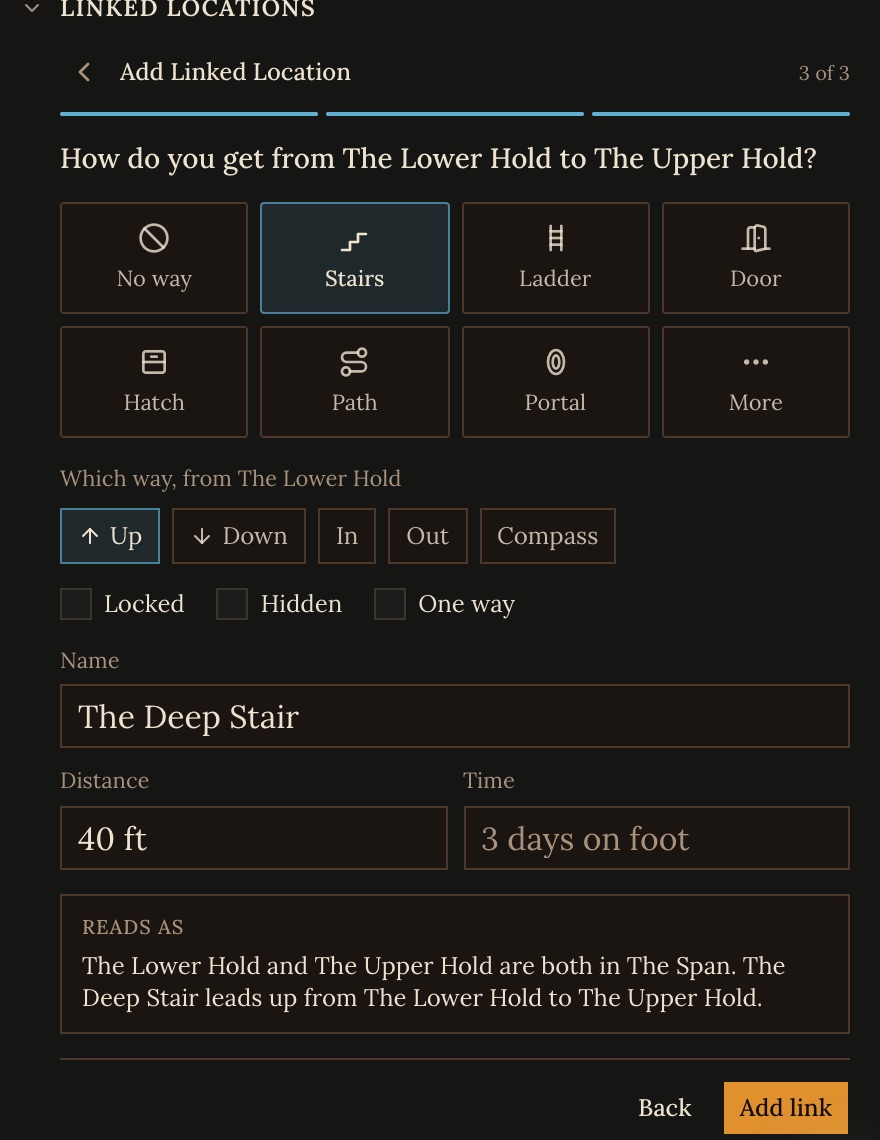
3. How do you get there? Pick the way: No way, Stairs, Ladder, Door, Hatch, Path or Portal, or More for Gate, Road, Dock, Bridge, Ferry, Tunnel, Ritual and Other. Then say which way it runs from this place (Up, Down, In, Out, or a compass direction) and whether it is Locked, Hidden or One way. + Name, distance, time adds a name for the way ("The Deep Stair"), how far it is ("300 ft") and how long it takes ("3 days on foot"). The editor reads the whole link back as a sentence before you click Add link.
The Linked locations list
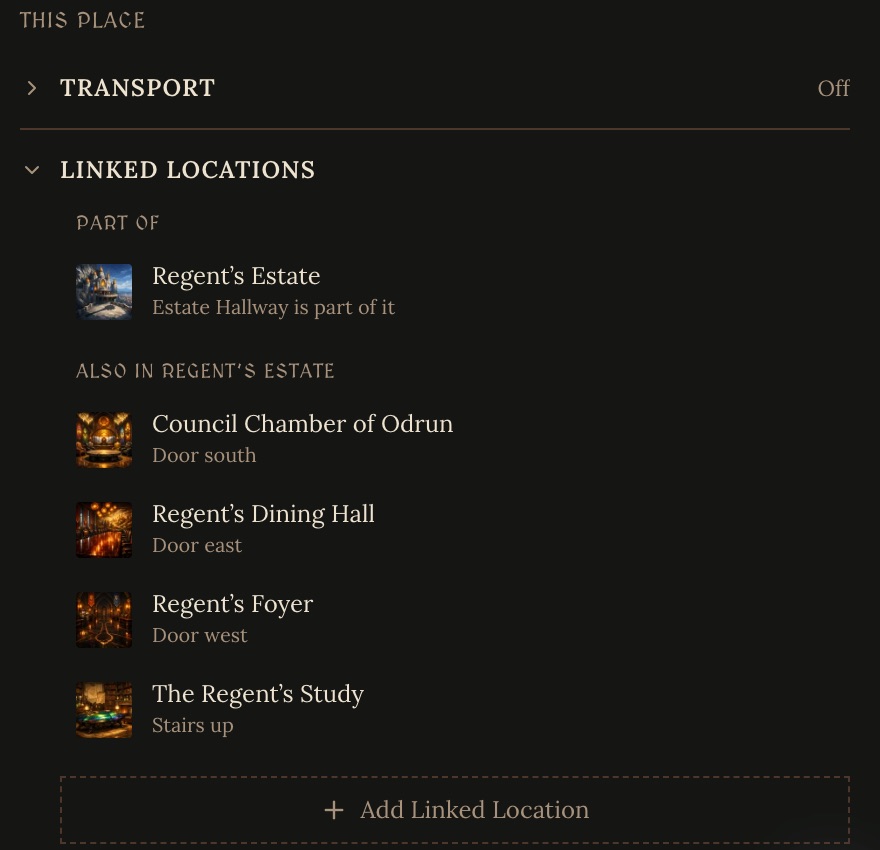
The section lists every place linked to this one, grouped as Part of, Parts of this place, Also in the place it's part of, and Other locations. A link shows up on both places, so you can open it from either end to change or remove it.
Rules for linked locations
- A place can be part of only one other place, never of itself, and never of a place that is part of it.
- Saving a link can move a place. Making one place part of another moves it there, and "Both in one location" moves the other place into the one you picked. The editor tells you what will move before you save.
- Badges stay out of the way: they shrink to small tiles when the map is small, collapse into "+N more" when a side is full, and don't show on phones or in View mode.
Transports
A ship, airship, caravan or train that the party can board is a location with a transport. Open its Map settings, then Transport, and turn on Is a transport.
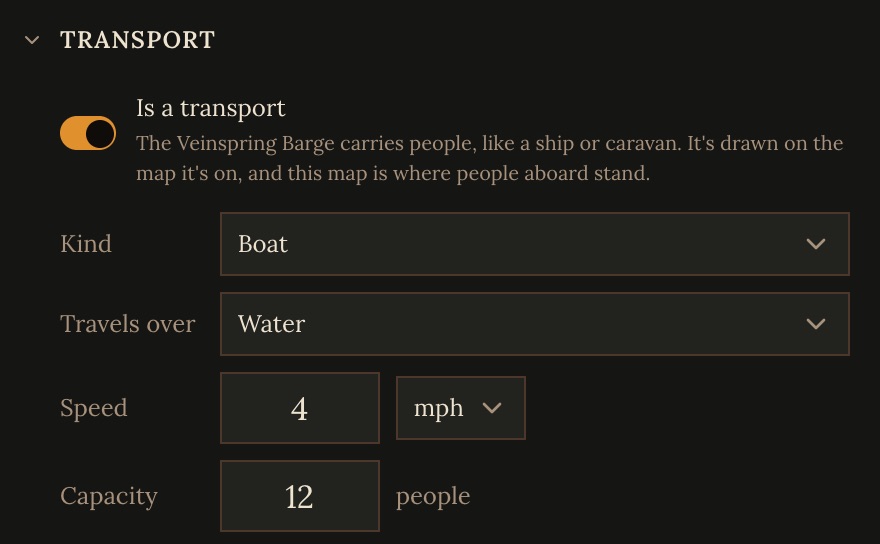
- Kind: Ship, Boat, Airship, Wagon, Caravan, Carriage, Train, Car, Bus, Plane, Mount or Other.
- Travels over: Water, Land, Air, Rail, Underground or Space. A ship won't take a road.
- Speed in mph, km/h or knots, which the GM uses for how long a trip takes, and Capacity, how many people it carries.
The transport's own map is its deck plan, where people aboard stand. Where it is right now is its pin on another map: the barge above is a pin on the Veinspring in Odrun Fell's world map. When the party sails somewhere, they stay on the deck map while under way, and when they arrive the GM moves the transport's pin to the destination, to a dock, harbour or quay on its map if there is one. Name those spots on your port maps so ships know where to berth.
A ship with several decks: make each deck a location, link it as part of the ship, and link the decks to each other with ladders or stairs. They go wherever the ship goes.
Which one to use
- The way is at a spot on a map (the door in a floor plan, the town gate): use an exit.
- There's no map, or the place isn't in the picture (a cellar, the floors of a tower, a realm reached by ritual): use a linked location.
- Both is fine. The Upper Hold has a Stairs down exit on its map, and The Lower Hold links back up to it with The Deep Stair.
A world with few maps can link every place this way. The GM still knows what is inside what and how to get between places, even where nothing is drawn.
With Orbit or the CLI
Orbit, the project assistant, can read and change all of this: its map tool
sets exits, and its linked locations tool links and unlinks places and sets
transports (see Agent Tools). In a cloned
workspace, craft map set takes exits, and
craft meta link, craft meta unlink and
craft meta set-transport do the rest (see the
Command Reference). A cloned workspace also has the full format in
.craft/instructions/linking-locations.md.