
Files
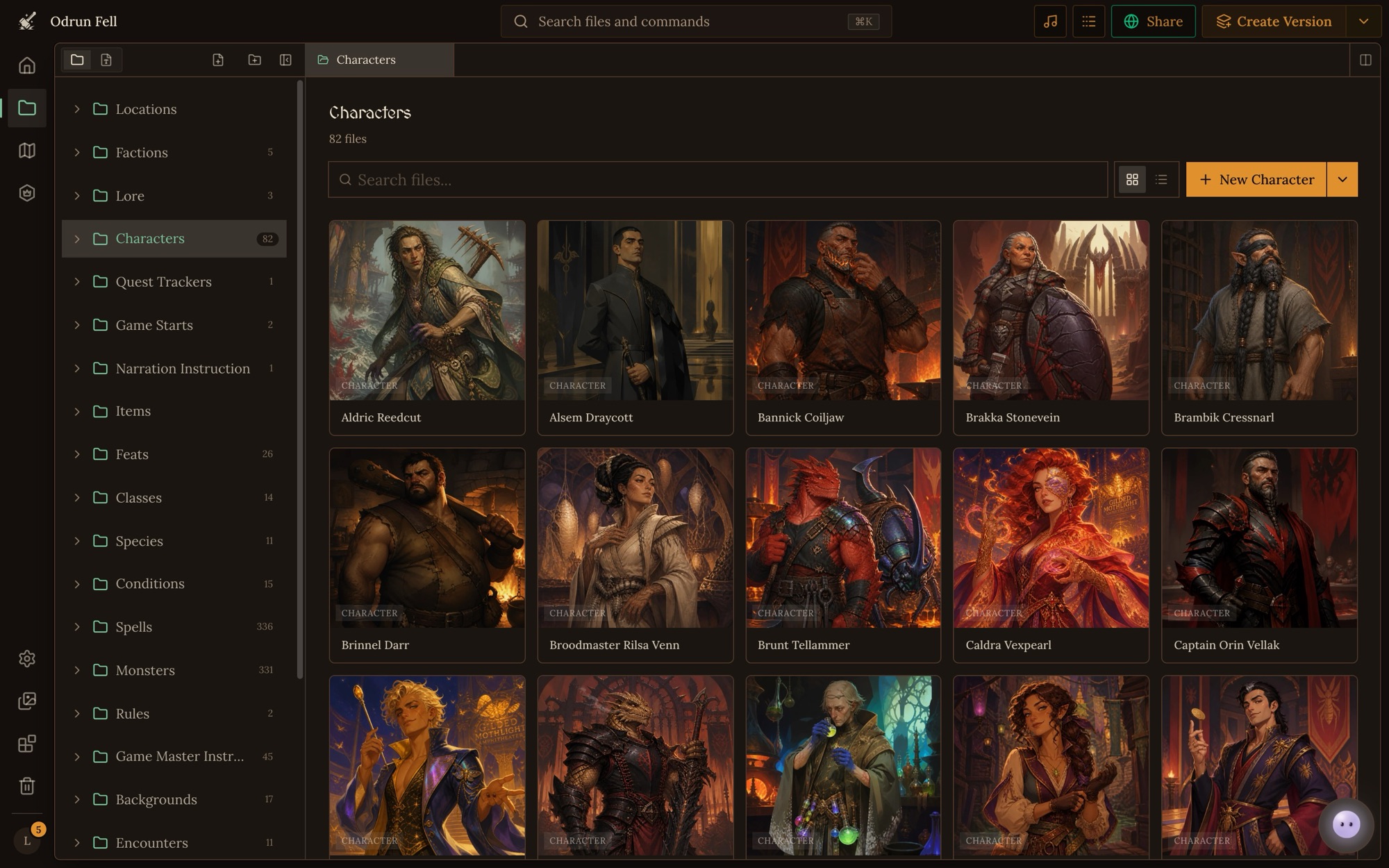
A file is one record of a world: a character, a place, an item, a rule, a page of lore. Every file has a type, which says what it holds and how it looks; a name; and a folder. Files are what the Game Master reads and changes during play, and what players see on the play screen, so a world is only as good as its files.
How it is used
- A file's type decides its form. A type with a schema stores JSON
fields (
hp,inventory,faction). A Markdown type stores a page of prose. Either way every file has a name, and can have a description and a picture. See the content reference. - Folders are for you. They are free-form: any type can live in any folder, as deep as you like. The GM sees the folders and how many files each holds, so clear folder names help it find things too.
- A game gets its own copy. Starting a game copies the world's files into it. During play the GM finds, reads, searches and updates the game's copies, never the world's. Changes in the world reach a game only when the game pulls a new version (game sync).
- The GM looks things up as it needs them. It doesn't read the whole world each turn. It finds a file by name, reads it, or asks a question of the world's search index and reads the files the answer cites. A visible file costs nothing until a turn needs it.
- Visibility decides what the GM may find. A hidden file doesn't exist for the GM. Builders' notes and drafts belong there. See visibility.
- Files point at each other. A reference field stores another file (a character's race, a shop's stock), and a mention links a file from a page of prose. Both survive renames. See links and mentions.
- Every save is a version. You can go back to any kept version, and a deleted file goes to the trash. See versions.
Changing files
Where a file lives: a folder in the Files place. Its name inside the content is its
identity: the file's name and its stored name are always the same.
- Create: click New File above the file tree, or New on a folder's page, or ask Orbit. The content is checked against the type's schema, and a refused write names each wrong field and saves nothing.
- Edit: open it in the Files place and edit it. Change the fields you mean and leave the rest.
- Rename or move: right-click it and pick Rename or Move to Folder, or drag it onto a folder. The file keeps its identity, its history and every link to it.
- Delete: right-click it and pick Move to Trash. It goes to the trash, and a folder takes everything in it along.
- Copy to another world: right-click it and pick Copy, then right-click a folder in the other world and pick Paste into Folder. The copy is a new file with all its fields.
Doing it well
- One thing per file. A character, a place, a faction each get their own file, so the GM can find and update each on its own. A file that lists twenty shops is hard to search and easy to break.
- Names are unique within a type. Two characters can't both be named "Mira", even in different folders. Pick the name players will use, and add what tells two apart ("Mira of the Docks").
- Folders by what you'd look for.
Characters/,Places/Harbor/,Rules/. Keep the structure shallow enough to scan. - Link, don't repeat. Point at the race file from the character instead of copying its traits. One fact in one file stays right when it changes.
- Write for the GM. Put what the GM needs to run a thing in its file: secrets, motives, what happens next. Players see a file's sheet; the GM reads every field, and a game's owner can open a file's data (see who sees what).
- Edit the fields you mean. Change one field rather than rewriting a file, so nothing else is lost by accident.
- Leave nothing behind. Delete scratch and test files, or hide them. The GM can find anything visible and will use it.
Mistakes
- Renaming in two places by hand. Changing the content's
namerenames the file, and renaming the file changes itsname. Do one, not both. - A made-up id. Never write a
referenceId, file id or version id into content. Write the other file's slug and Craft stores the id. - A computed field written back. Computed fields are worked out when the file is read. Change the fields they come from instead.
nullfor no picture. An image field is left out or{}for none, nevernull.- A mention of a file that doesn't exist. The save is refused. Create the file first, or in the same batch.
- Two drafts of one thing, both visible. The GM may read the wrong one. Delete or hide the old one.
Reference
- File content: What a file holds: JSON and Markdown content, the fields every file has, names and slugs, folders and limits.
- Links and mentions: How files point at each other (reference fields, mentions in prose and map links) and why those links survive renames, copies and games.
- Versions and the trash: How Craft keeps every file's and file type's earlier versions, how long it keeps them, how to restore one, and how the trash works.
- Visibility: Which files the Game Master can find and read, how a file and its type set it, and when to hide a file.