
Patch Notes B0.24 - Craft CLI, CDF v2, Version Pruning
Introducing the CDF v2 and the Craft CLI
We're making Craft the best platform to build AI RPGs, and to do that we need to give our world builders the best and most cost efficient tools to use. Today, we're releasing CDF v2 and the Craft CLI. Two tools that will make it easier than ever to leverage the latest and greatest LLMs through your existing AI subscriptions to build content in Craft. With these two tools, you can now use the AI subscriptions you already pay for, whether that's ChatGPT, Claude, or Gemini, and put them to work building content in Craft.
Please note: Both of these tools are new and experimental. We recommend saving versions or cloning your projects before using CDF or the CLI.
CDF (Craft Data Format) v2
The first version of CDF was built for a time when projects in Craft were much smaller. In CDF v1, the concept was basically that we'd package up all of the content in your project into a single JSON file so you could give that file to an AI and have them work on it. Now that we're seeing 2-4k files in projects, that's just too much content to shove into one file. In CDF v2, your project gets converted into a downloadable folder full of files that mirror your project in the platform. Since its a bunch of small files instead of one gigantic file, it makes it way easier for Claude Code to work with it. CDF v2 comes loaded with instructions and skills for outside AI agents to use, so they instantly understand how to work with your project.
In CDF v2, we also introduce project level import/exports. You can use CDF v2 to
- Import an entirely new project
- Export your project, make changes to it, and import only the updates you made to the existing project
- Import individual files or groups of files into your existing project
How to use CDF v2:
-
Export your project
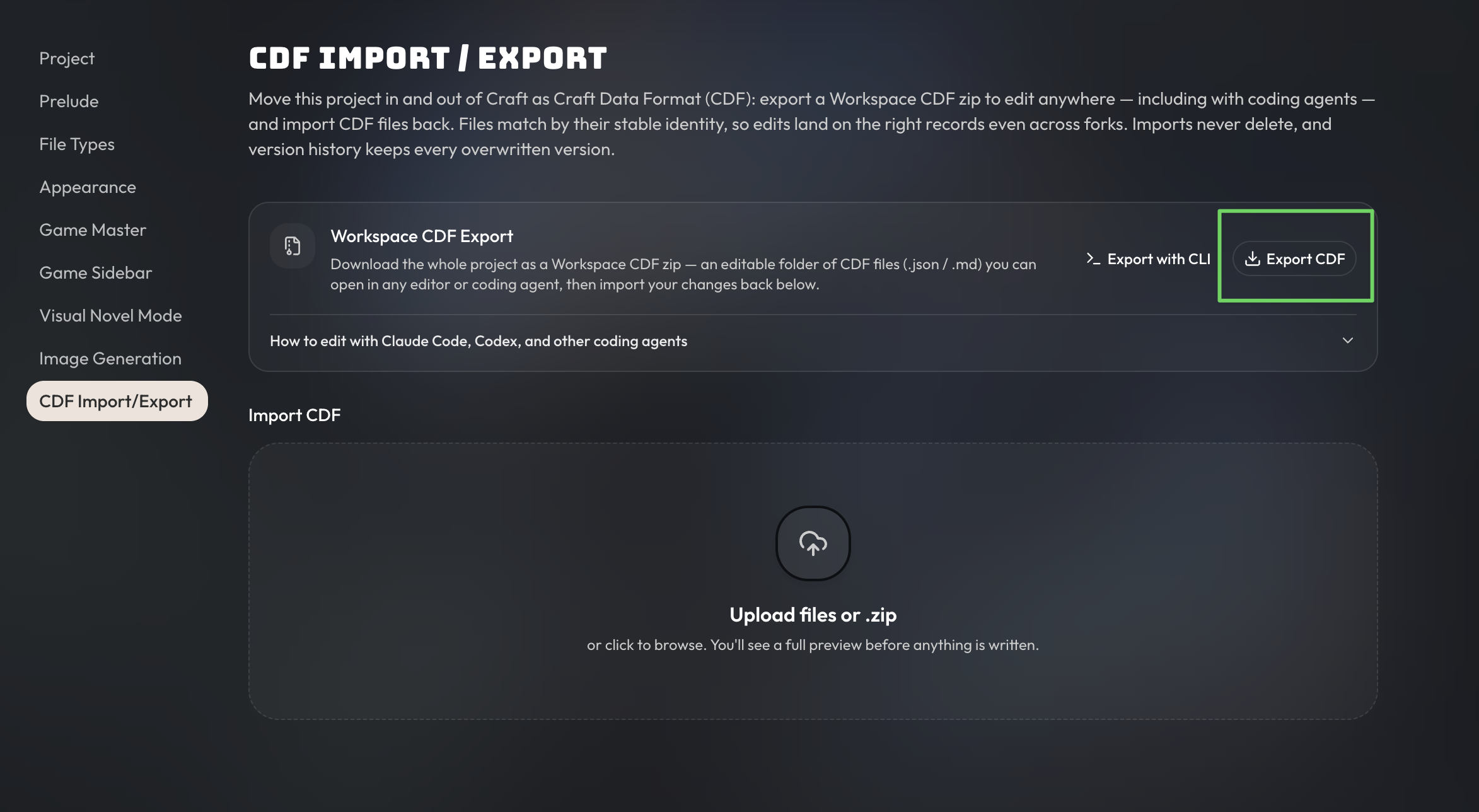
-
Unzip your project
-
Open it in a coding agent tool, like Claude Code, Codex, or ChatGPT Work
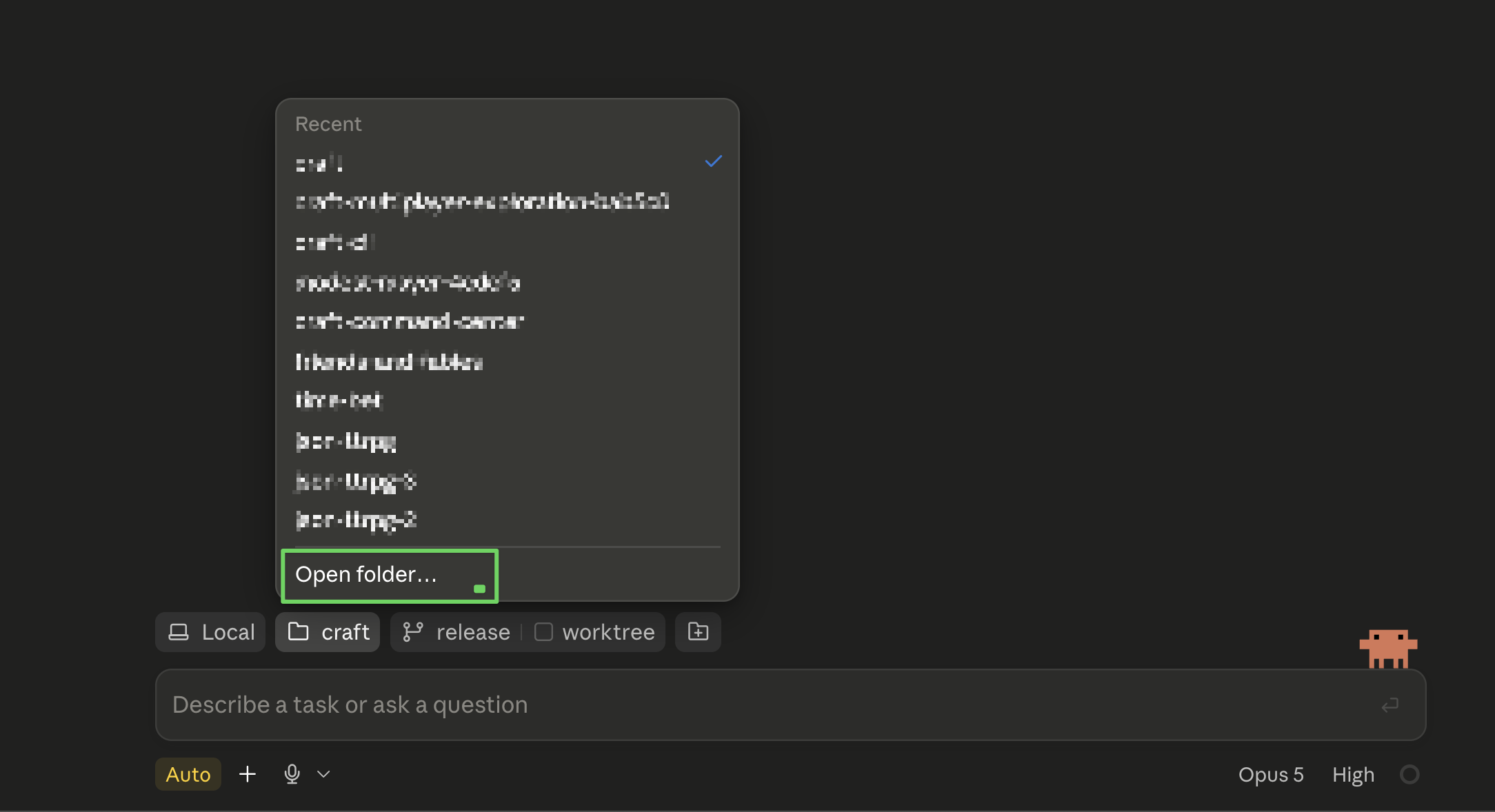
-
Ask the agent to make any changes to your project, just like you would do with Orbit.
-
Zip the folder back up and import it back into your project. It will apply any changes! You can also drag individual files into the import if you want to update a single file at a time.
Learn more about CDF v2 by reading the docs.
If you know how to run local LLMs, this also means you can export your project and work on your projects completely offline, 100% for free.
We're really proud of CDF v2 being the most robust and pro-consumer way to create AI RPG content today.
The Craft CLI
CLI stands for "Command Line Interface". It is an interface to run commands on your computer. Ex.
mkdir new-folder-1is a command that will create a new folder called "new-folder-1".
The Craft CLI is a tool that we've built specifically for our more technical players. To non-technical players, it may seem a little intimidating. That being said, it's actually quite easy to use and we will publish guides and videos in the future to get anyone who wants to use it through the learning curve.
The Craft CLI is built on top of the same plumbing that we use for CDF v2. It makes it really easy to pull down projects from Craft into your local machine, as well as sync them back. The CLI also contains tools that help your local AI agents validate that the project data is following CDF rules, image generation functionality, and more. The Craft CLI makes it much easier for your local agents to work with CDFs.
With the Craft CLI, you can have Claude Code build out entire projects for you. At this time, this should be a much more effective way to build because you can take advantage of much stronger LLMs at subsidized costs from large AI labs. They are also more effective at editing files locally and can use other local tools that Orbit can't (this is due to the environment that Orbit lives in, vs Claude Code on your computer). For example, your local Claude Code could write and execute a script that transforms hundreds of character files in an instant, which is something that Orbit cannot do (yet).
To learn more about using the CLI, you can check out these docs.
Version Pruning
In the past, we would store every single version of a file, file type, or project indefinitely. This would consume additional storage even though the vast majority of these versions are never looked at or used again after initial creation. To optimize storage usage, older versions are now periodically pruned over time. The mechanics of this may alter in the future, but as of now the file version pruning works as follows: All versions within the last 48 hours are kept, the latest version per hour is kept for the last week, the latest version per day for the last 90 days, and the latest version per week for anything beyond 90 days.
Other Changes & Improvements
- You can now move multiple files into a folder at the same time.
- Saving a file type layout will now also automatically save a file type version.
- The layout designer will confirm discarding or saving of changes if you try to exit the layout designer.
- File version histories are now labelled by date rather than by version number.