
Patch Notes B0.22 - File Types V2, Layout Editor, Background Jobs
In our first version of file types, our schemas only allowed for simple formulas, and referencing other files was pretty limited. Despite those limitations, you all built some pretty amazing things. But to build those amazing things, you had to find creative solutions that were great for showing us what you wanted to make, but that created some issues. Here's an example:
We saw players often wanted a nice way to display whether or not a character had a skill. So they (or Orbit) would have two fields per skill:
- isProficientInAcrobatics = boolean (true or false)
- isProficientInAcrobaticsDisplay = formula (if isProficientInAcrobatics, show 🟢, otherwise show 🔴)
This means that just to show a skill table, the character schema would need twice as many fields as skills. And this is one of the simpler examples. For more complex character sheets, we saw hundreds of fields added. This isn't good, because it bloats the file and file data, which makes turns more expensive. This is why we added the limitations around the number of fields in a file type. It wasn't wrong for you or Orbit to do it this way, though; it was the only way for a while. But now, we've upgraded file types so they more easily support the things people want to do with them, while staying cleaner and more efficient.
Some of the things you can do with our upgraded file types (while keeping schemas and layouts efficient):
- Fields that follow your references. A character's resources can now come from their class: rage for barbarians, ki for monks, spell slots for wizards. Define them once on the class file, and every character that references that class gets the right trackers. Switch class, and the sheet follows.
- Values that look things up for themselves. Computed fields can read the files they reference: armor class can read your equipped armor's stats, attack bonuses can read your weapon. Swap the item, and the number updates.
- Rules as data, not walls of logic. Put a spell slot progression or XP table on the class file as a simple table of rows. Characters compute their values from it by level, so leveling up updates everything. Adding a new class means adding just a new class file, not rebuilding your character schema.
- One field instead of dozens. That skill example from earlier? It's now one small list of proficiencies plus one computed skill table. Two fields instead of forty. And the layout shows real tappable checkboxes, so the 🟢/🔴 display fields aren't needed at all.
- Layouts built for play. New layout components mean anything that changes during play is one tap where it's shown: dot trackers for spell slots and abilities, steppers for HP and ammo, toggles for conditions and inspiration, clocks for countdowns. And layouts can repeat one row over a whole list, so there's no more hand-making six copies of the same block.
- Reference filters. Reference fields can filter what they offer: only show spells your class can learn, or only subclasses of your class.
The way all of this works is fairly complicated, but the good news is you don’t have to know any of this. All you need to know is what how you want your character sheet to work, and you should be able to ask Orbit to implement it for you. For those who want to get a better understanding of how this all works, we recommend reading the docs:
In our testing, we’ve seen really promising results. We’ve been able to bring schemas that were 300+ fields down to <70. This makes them much more token efficient when the GM/assistant have to read or update them.
Orbit File Type Audit/Improve [Experimental]
Your existing file types have already been updated to be compatible with these upgrades, but they will still have the same structure and issues as before. To clean up your file types, we recommend asking Orbit: "Orbit, please audit my character file type."
Orbit has been given much better technical knowledge of the V2 file type engine, so he can now produce much better file type schemas and layouts. He also has specific instructions on how to fix a lot of the common problems we saw across existing layouts. Some tips:
- Make sure you create a version of your project that you can revert to in case anything goes wrong.
- Only ask Orbit to do one file type at a time. ✅ "Orbit, please audit my character file type" ❌ "Orbit, please audit all of my file types"
- Open a new chat for each file type audit. This will save you energy!
If you have some extremely large schemas and layouts (this should be very rare), you may find that Orbit times out or can't fully audit and improve your file types. In these cases, reach out to us on Discord and we can run the update for you without the normal timeouts.
We recommend running these audits with Mimo v2.5 Pro or a larger model. With Mimo v2.5 Pro, we’ve seen audits run between 10-20 energy for complicated character sheets, and 2-10 energy for simpler file types. Additionally, we’re going to be giving 300 credits per published worlds at the time this patch note is published to help cover the costs of running these audits. If you're a world builder with a published world, you should see those credits in your account already.
Schemas
-
We've renamed Formulas → Computed Fields and made them much more powerful. We've automatically migrated all of your existing formulas to computed fields. You don't need to do anything; your sheets keep working. In the rare case where a formula couldn't be converted automatically, that field now shows a short message with your original formula preserved inside it. Just ask Orbit to fix it and he will rebuild the field the right way. To learn more, see Designing Schemas and Computed Fields.
-
Reference filters now support filtering by reference, and this is now the recommended default way to do reference filtering.
-
For example, in the past you may have had to define a
classNamefield of typetexton both characters and spells to filter a character's spell list wherecharacter.className == spell.className, in addition to the existingclassreference fields. You can now filter directly bycharacter.class == spell.class.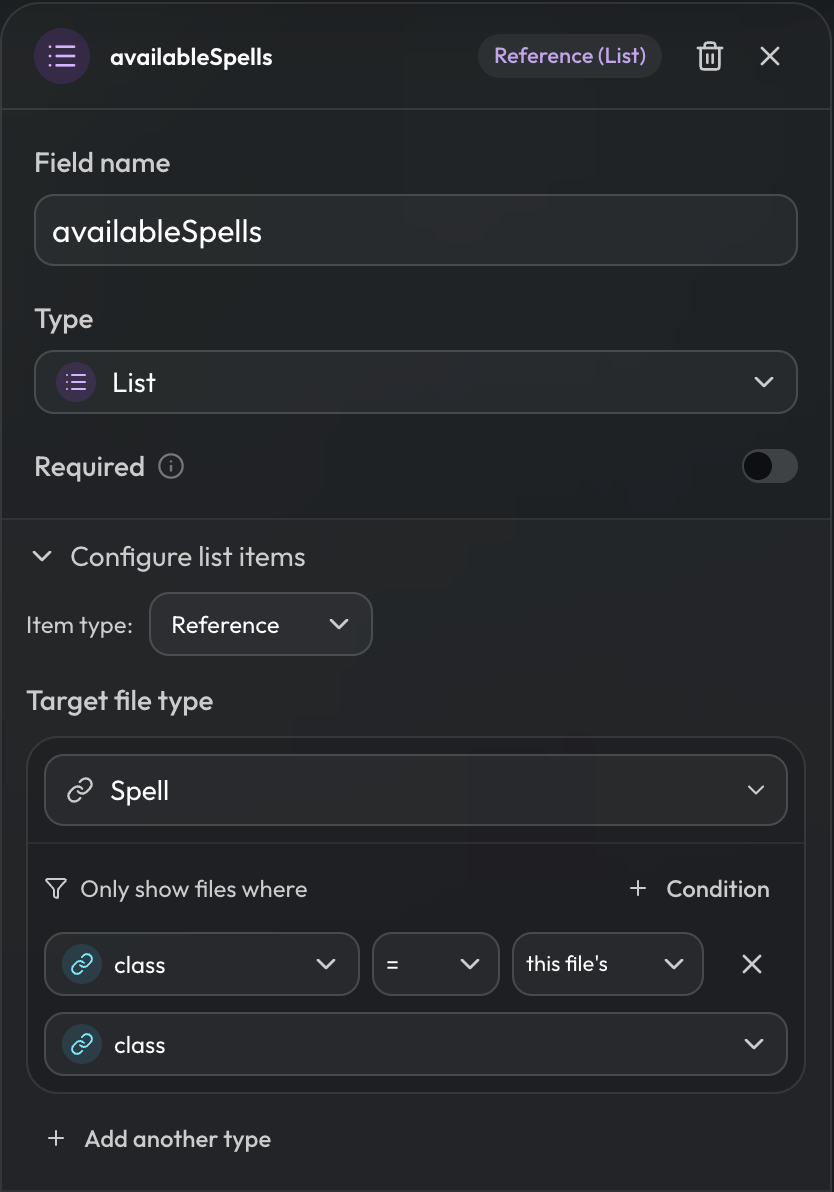
-
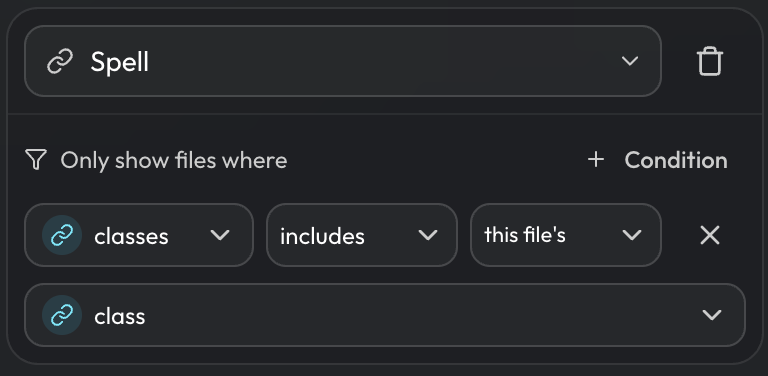
This also supports list inclusion. For example, you can define that a spell is available to multiple classes, so that a character's available spells are filtered where
spell.classes.includes(character.class).
-
- Computed fields can now return a list, with new helpers to join, de-duplicate, and grab the first or last item, plus new lookup and position helpers.
- Progression tables like "spell slots by level" can now live once on a class file and feed every character that references that class, instead of being copied onto each sheet.
Layout
Layout Designer
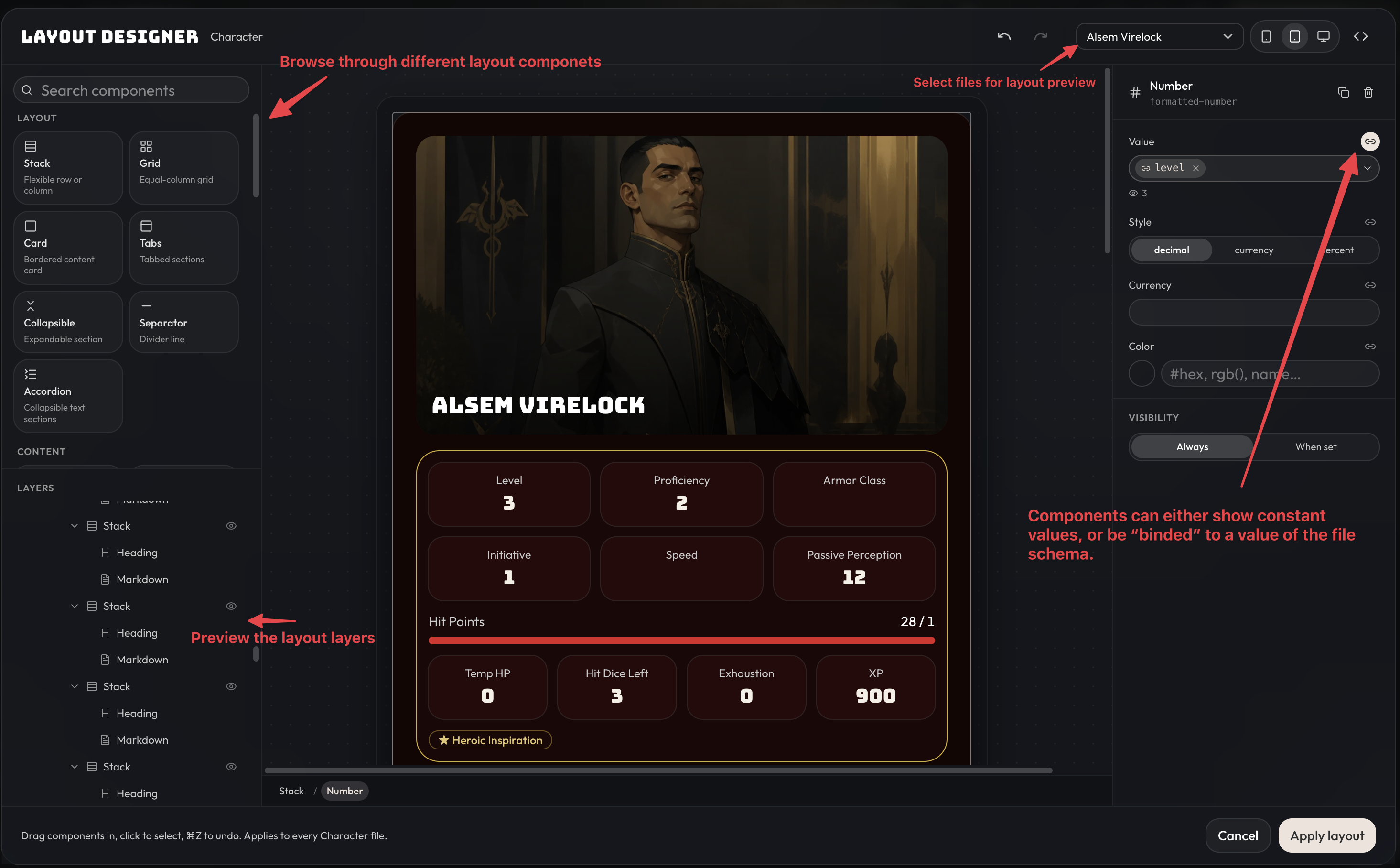
We've replaced the layout preview with a manual WYSIWYG layout editor, which lets you make manual tweaks or build a file layout by dragging components onto the canvas. The layout designer is still a work in progress and is only available on desktop. It's still recommended to use AI to build out the base of your layouts, but you now have this as an option for small tweaks.
To get started, here are the basics of what you need to know:
- The main center panel previews the layout. You can choose different files to preview the layout with, and preview on different device sizes, via the control bar in the top right.
- The left panel shows the available prebuilt components that you can drag and drop into the center panel, along with a layers preview for easily selecting or moving components around.
- Click on a component via the layers preview or the center panel to bring up details about that component in the right panel. Each component may have different properties you can configure. The main thing to know is that values can either be set as a constant, or you can click the 'Link' icon to the right to bind them to an actual file value on the file type. For example, here we've bound a number component to the character's level field.
Components
- Added twelve new building blocks for character sheets and other pages: dot trackers, box tracks, progress clocks, plus/minus steppers, toggles, checkboxes, switches, condition chips, lists, callout quotes, and a field pulled live from another file.
- Layouts can now repeat a block across every item in a list. Previously you would have to create 9 spell slot level cards, now you can create one block that maps across a list of resources and renders a block for each one.
- Properties
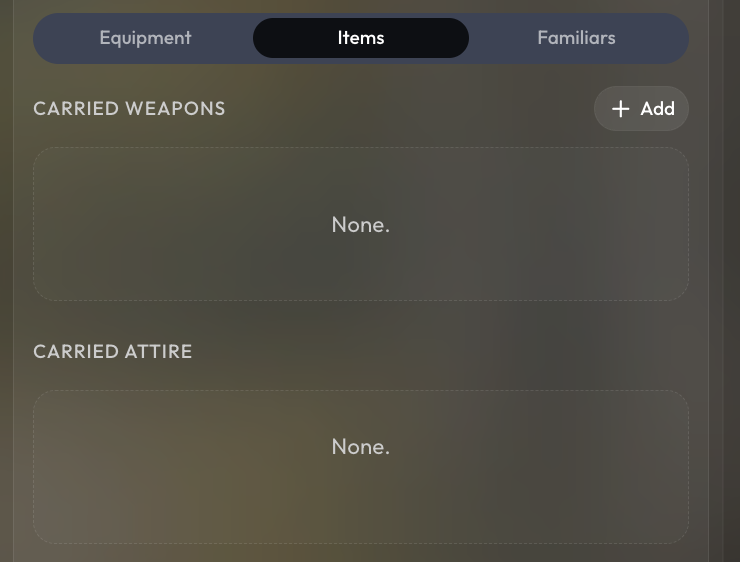
showAddNew,showAddNewOnHover,addNewVariantwere added to List and Grid components. By default, the add new button is now only visible when hovering over the list/grid element, but you can adjust this via theshowAddNewOnHoverproperty. You can also completely disable the ‘Add’ button on a list/grid by settingshowAddNewto false. - By setting
addNewVariantto ‘aside’, on a grid, the ‘Add’ button will show up on the right side of the grid instead ofinlinewith the elements.
Improved Background Tasks
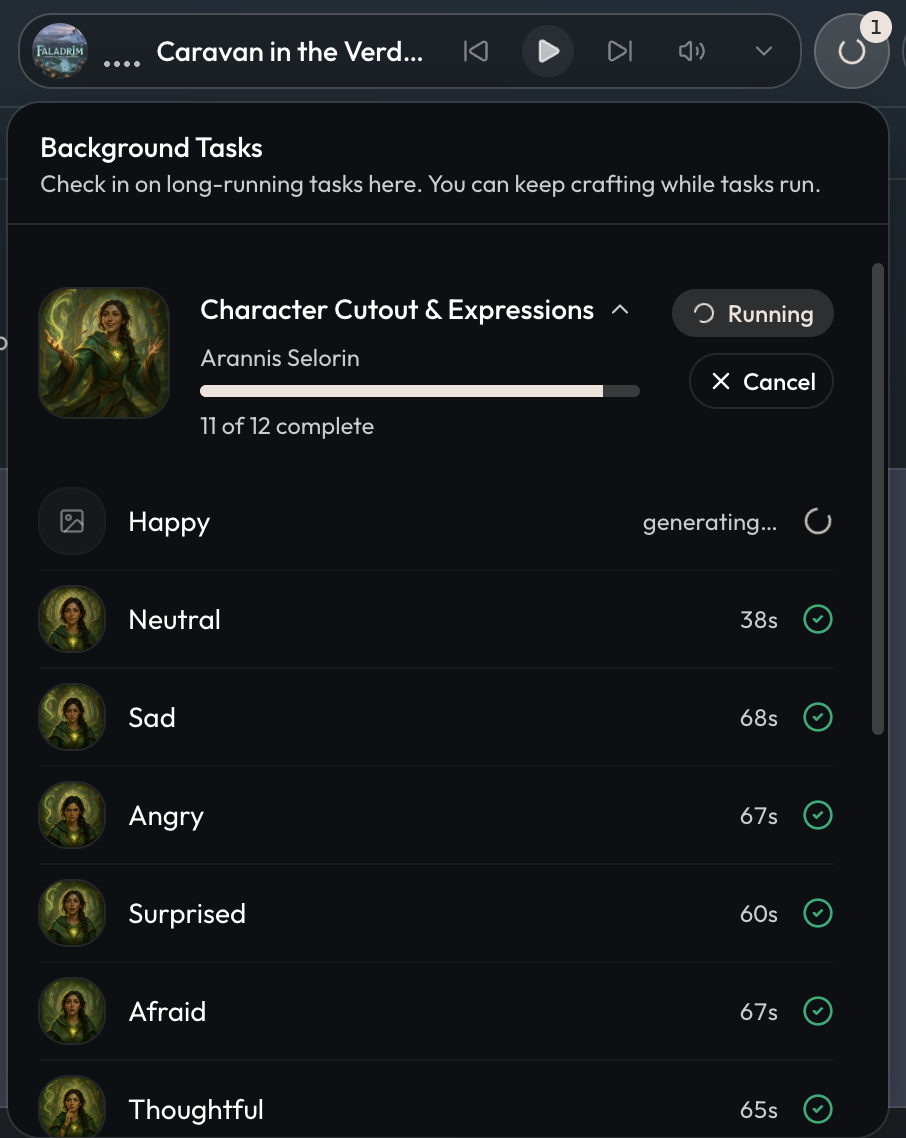
Behind the scenes, we've implemented new infrastructure for long-running tasks such as character expression generation. When generating character expressions, you will now see a tasks panel that lets you leave the page, watch each item's progress, see previews, and retry a single failed item without redoing the whole batch. For now this is only active for character expressions, but it will be used for other long-running tasks in the future, such as bulk image editing.
Other Improvements and Fixes
- Fixed an issue with revert and delete approvals not going through when accepted.
- Fixed generated scenes coming out square despite a different aspect ratio being selected.
- Fixed generated scenes not showing up in chat until a page refresh.
- Fixed the flow editor freezing when a screen had hundreds of choice options, and sped up how large option lists render on the canvas.
- The project settings tab now remembers where you were when you switch to another tab and back.
- Character images generated from the image picker now default to placing the focal point at the top center of the image.
- Visual novel mode now prefers a character's neutral expression cutout over their portrait cutout.
- Improved the way roll requests, tool approvals, and GM questions appear in visual novel mode.
- Improved the mobile design of visual novel mode so that character expressions are not cut off screen when there are large amounts of text.
- Added a file popout for GM pinned files.
- Added the rewrite option on GM messages.