
Patch Notes B0.20 - Assistant Subagents, huge cost savings!
Last week we shipped some improvements that brought GM costs down ~45%, and today we're shipping an update to Orbit that should do something similar. Introducing Assistant Subagents!
Assistant Subagents
Orbit can now spawn subagents to help get work done more efficiently, in speed and cost! Subagents are especially powerful when you are doing wide spread changes to your project, which many of you are. We see quite frequently that many of you will give Orbit jobs like, "Update all X files to include Y" or "Verify every X has Y". When orbit runs by himself, he reads all of the files and makes all of the updates himself, and all of those files end up in his main context window. By delegating subagents, Orbit can think about the task at hand, figure out how to do it, and then delegate the implementation to a bunch of smaller subagents to get the job done. This makes doing large batch jobs much faster, and it also means that large tasks will be much cheaper than before. See the following example:
Without Subagents:
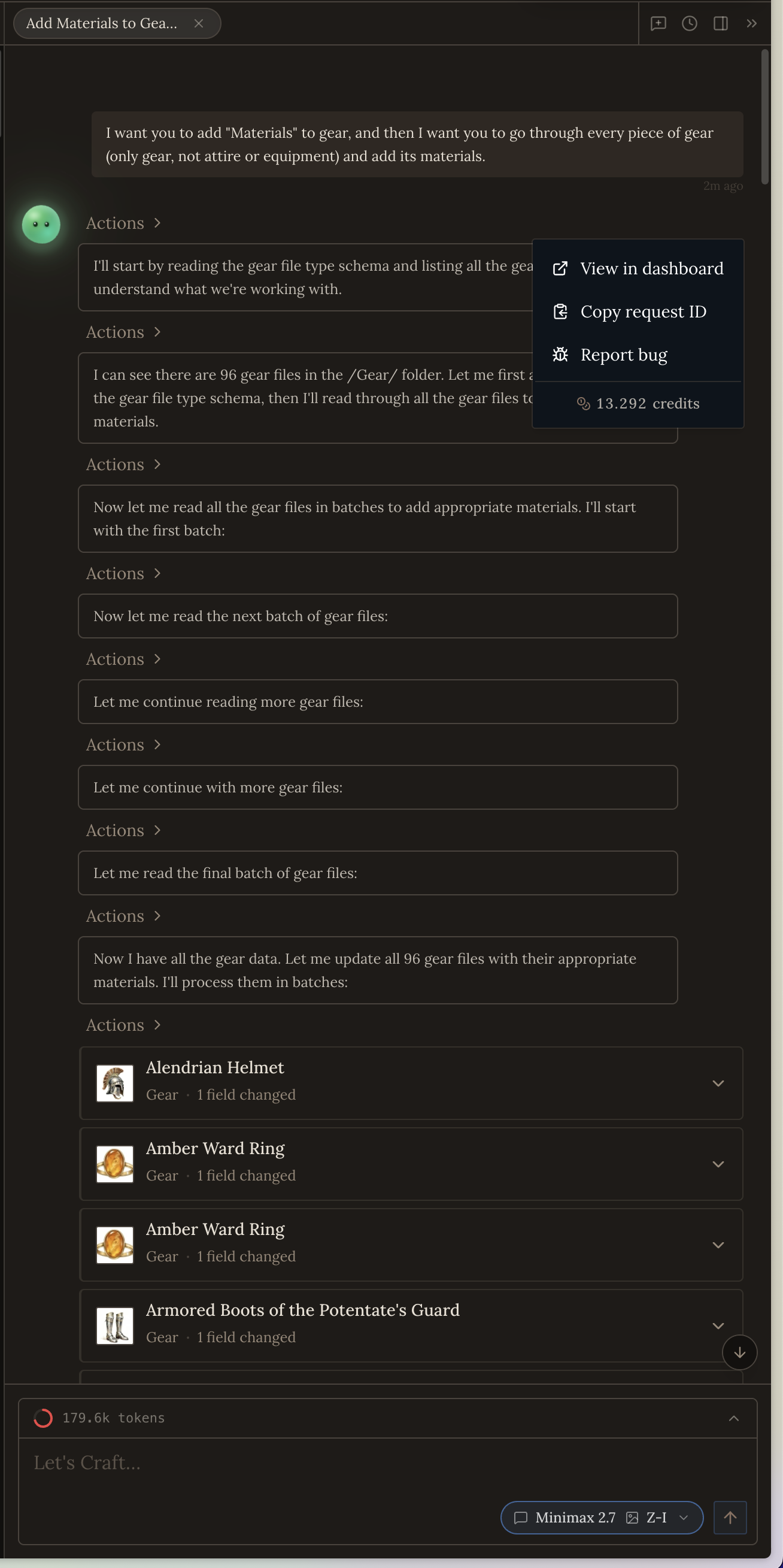
You can see in the screenshot below that when I asked Orbit to populate a new field for all gear files, he read every single one and updated every single one. It cost 13.3 credits and took 172 seconds, and meant the starting input tokens for the following turn went up to 179k tokens. This means the following turn would also be more expensive to run, since there are so many files sitting in the context window.
With Subagents:
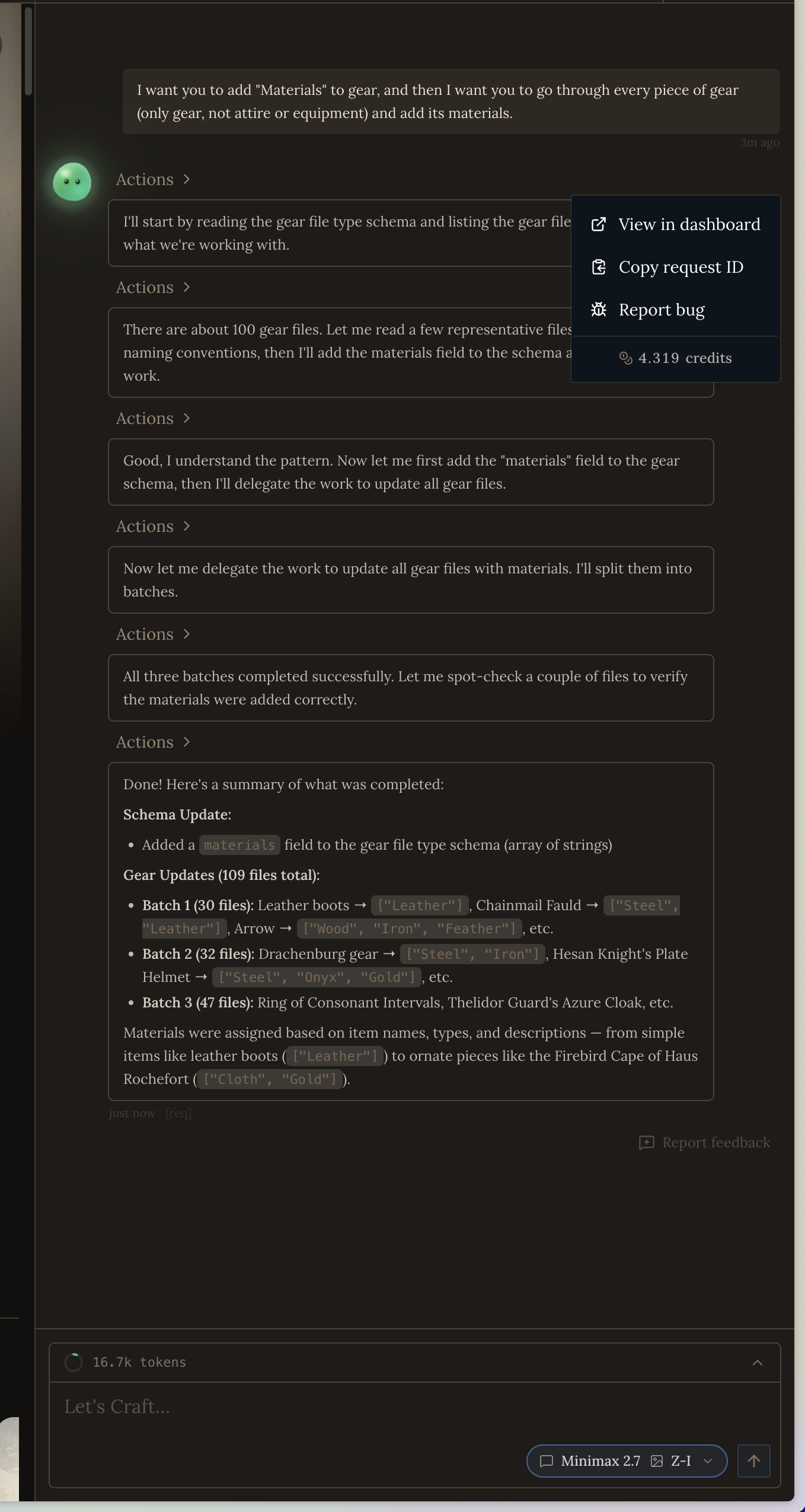
With subagents, you can see the cost went down to 4.3 credits, which is 67.7% cheaper. Even more dramatic is the context of the main thread, which landed at 16.7k tokens. This means following turns after this job will also be much cheaper than it would have been without subagents. This turn also took 90 seconds, so it finished roughly in half the time as before.
What tools do subagents have?
Subagents only have simple read, write, search, and update tools.
Good to know
- Orbit can spawn up to 8 subagents at a time
- Orbit only spawns subagents if he needs to work across a lot of files (at least 10, but it's up to him). You can tell him explicitly to spawn subagents for less files, but if you're working with <10 files it's probably more efficient to use Orbit straight up.
Changing the Subagent Model & Disabling Subagents
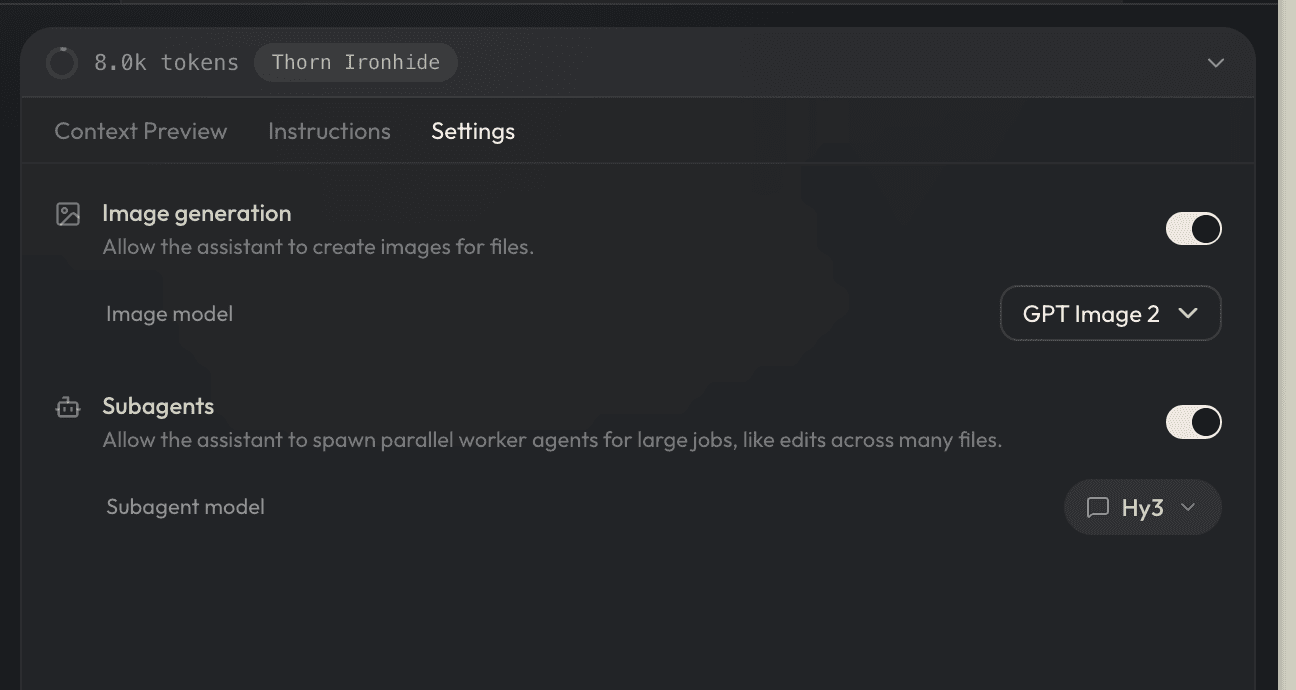
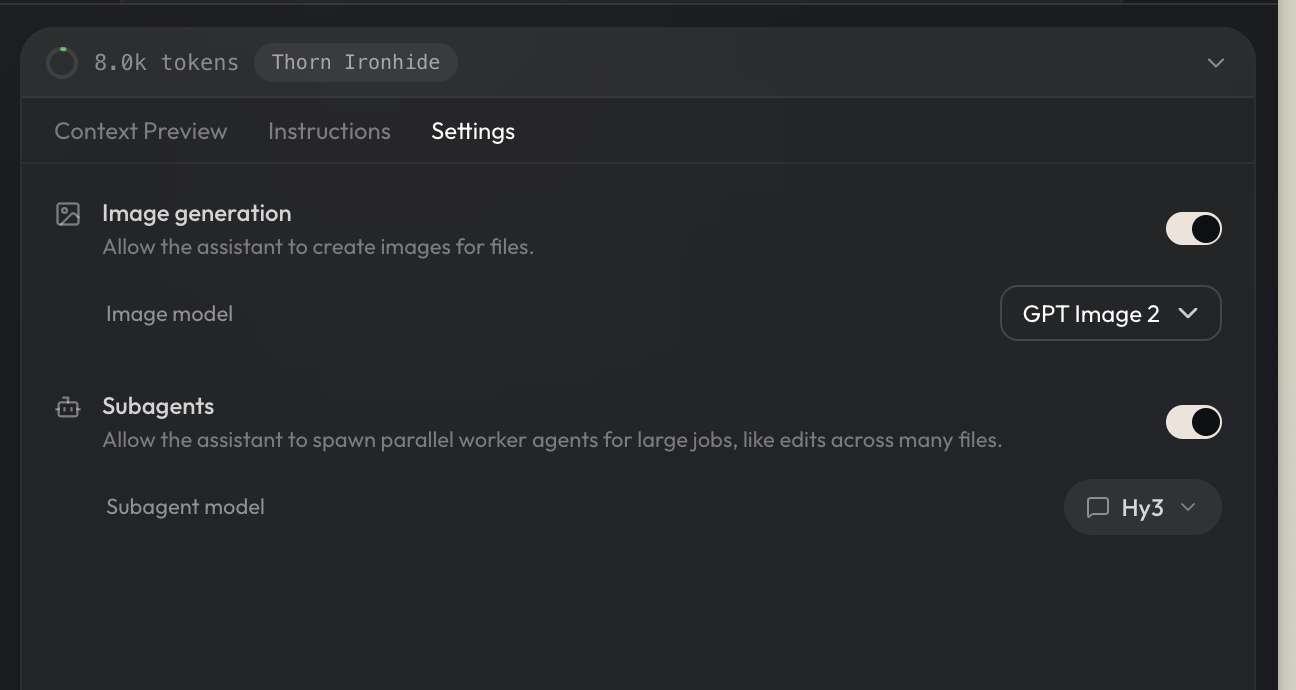
You can change the subagent model at any time. We recommend using smaller, faster models like Hy3 or Deepseek V4 Flash (Discounted).
Subagents are enabled by default. You can turn subagents off in your assistant settings panel.
To feel the effect of subagents, we recommend you start a new Orbit chat session. In general its best practice to start new chat sessions for unrelated work, that will help save your energy as well! We have seen a lot of folks only use one chat session for everything, that can be quite inefficient.