
Patch Notes B0.046 - Share Games as Visual Novels, Fixes & Improvements
Share Games as Visual Novels
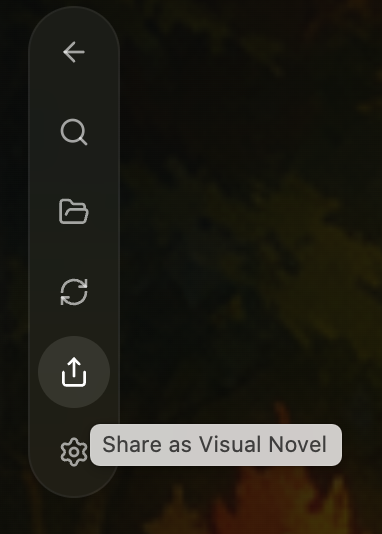
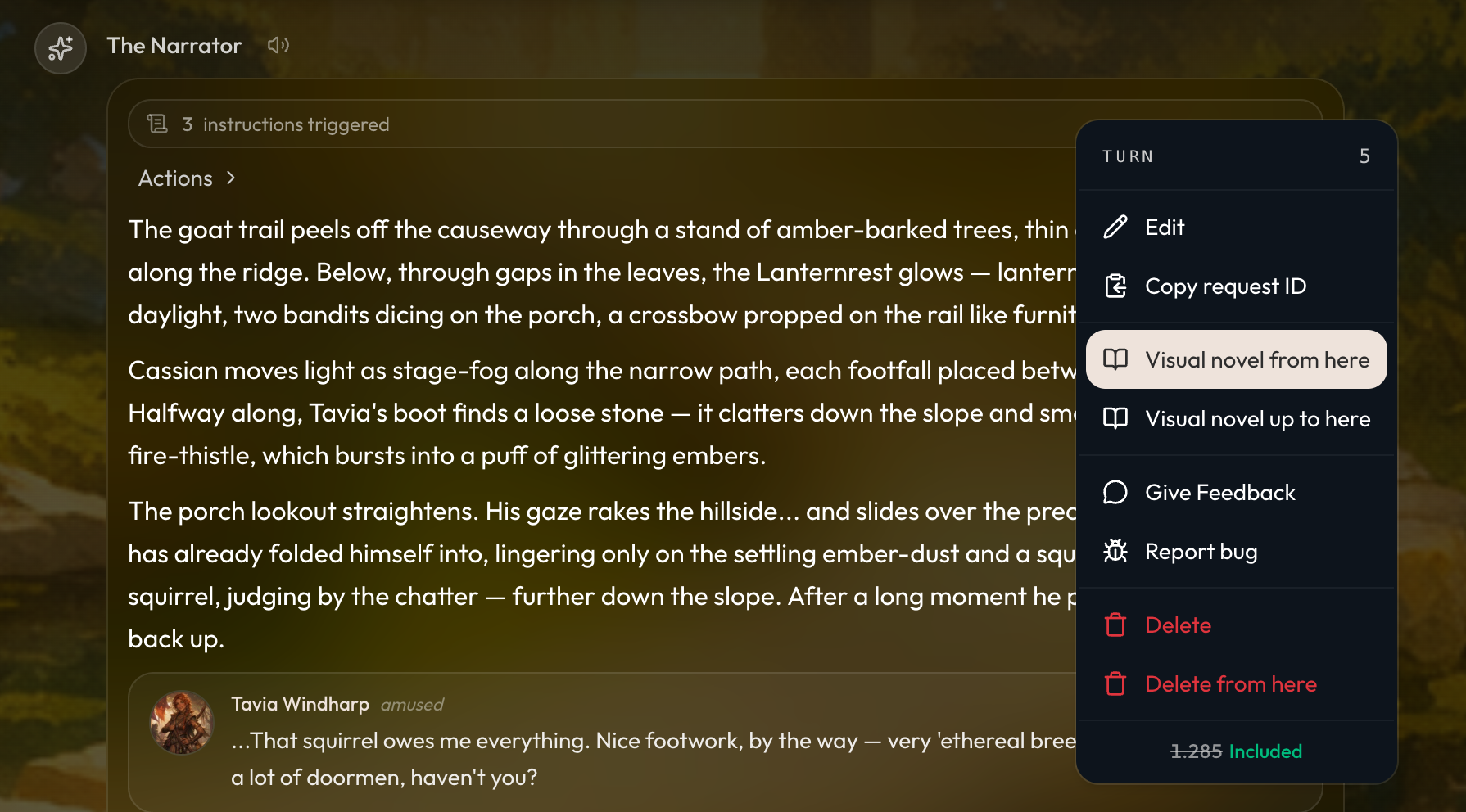
You can now share your in game moments by exporting and turning them into a visual novel for others to read! To do so, within a game you can access it via the new share button, the settings menu, or the dropdown menu of a message.
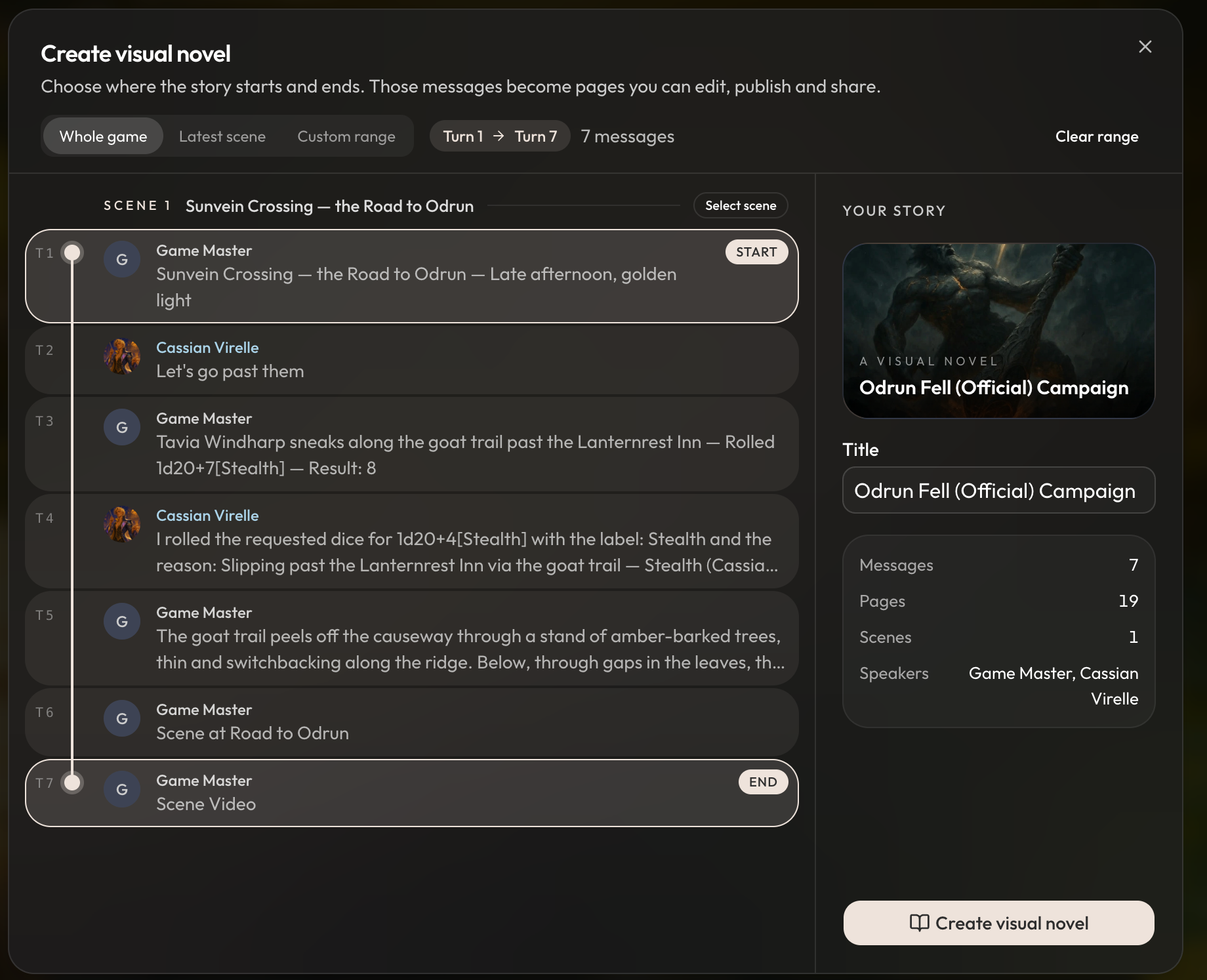
You can choose to export a range of messages, or for short games, the entire message history. One visual novel can contain up to at most 2,000 pages.
Once you’ve exported your game, you can then preview and edit the visual novel within the new visual novel editor. Any scenes, videos, music, or TTS from your games is automatically exported into the visual novel pages if they are available.
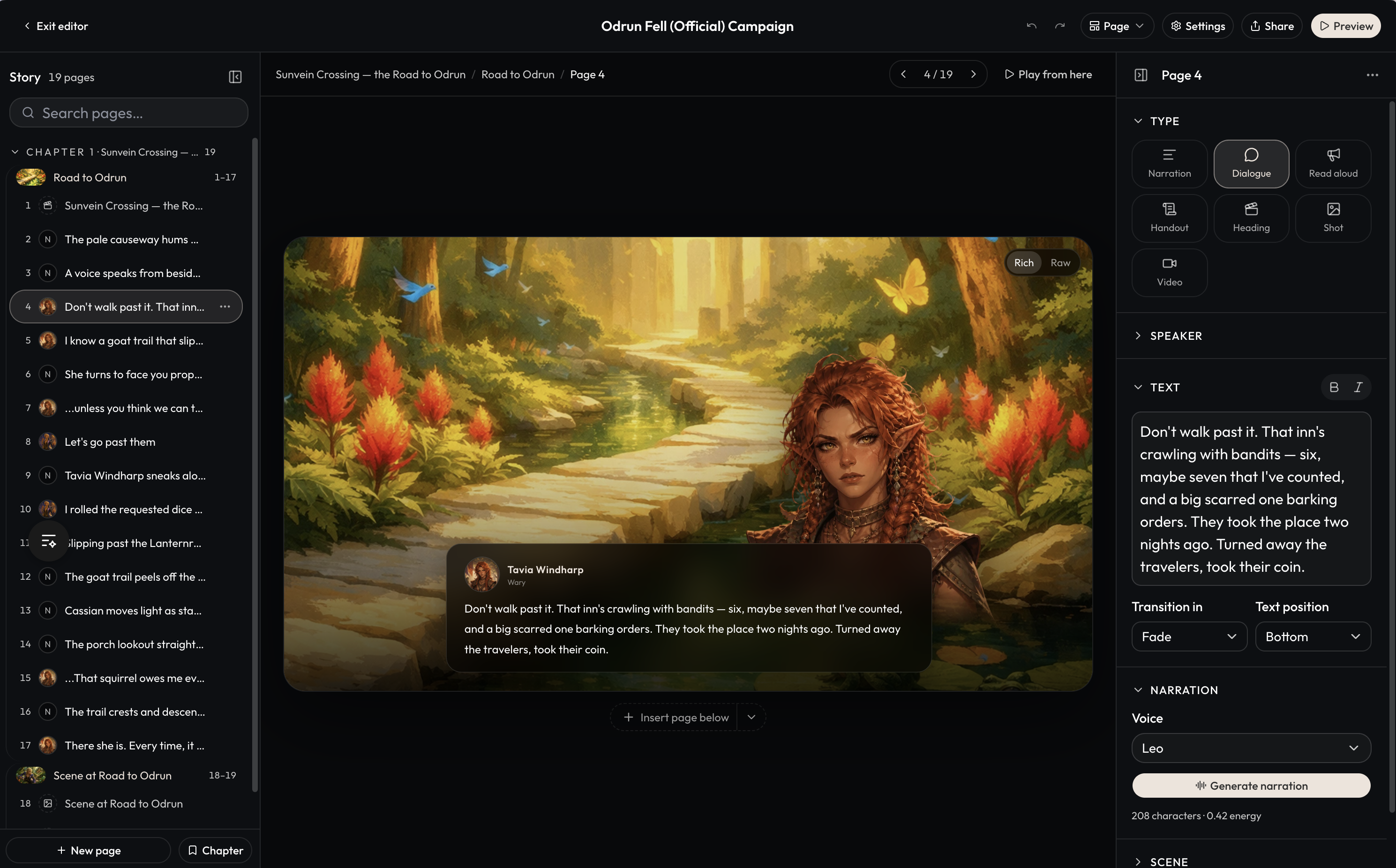
In the visual novel editor, you can add new pages, chapters, and edit any page as you wish. Edits in the visual novel editor are fully contained to just the visual novel and don’t impact your game.
You can change the various types of pages, adjust the speaker expression and their position on the page, add TTS narration, and change scenes and the background music for each page/scene. From the settings, you can also bulk generate TTS narration for each remaining page in the visual novel.
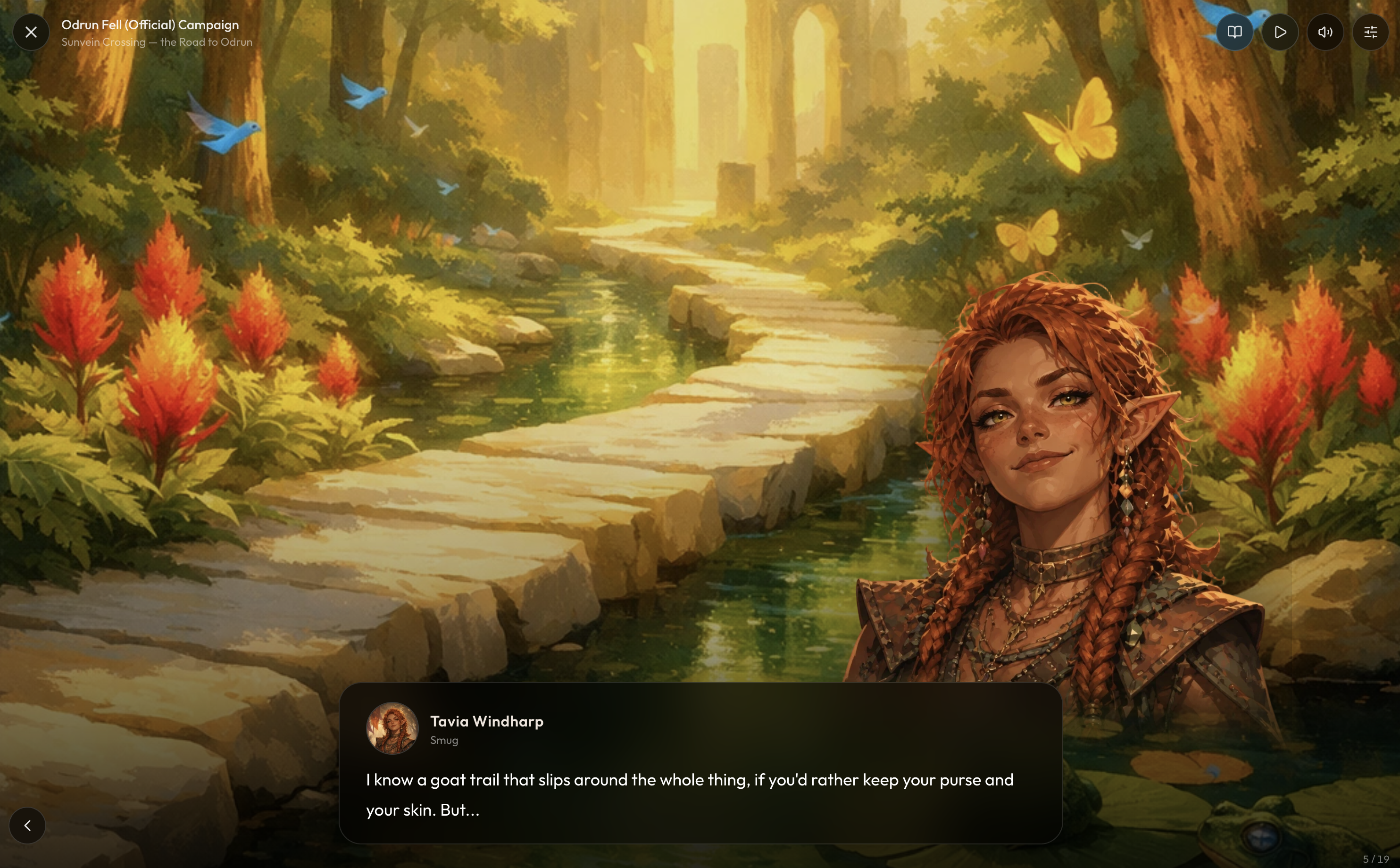
When you’re ready to share your visual novel, you can preview how it will read, and then share it publicly on Discover. Visual Novels follow the same content rating guidelines as projects. If you make changes to the visual novel after making it public, publish your changes via the share button to have them go live to readers.
To checkout what a visual novel looks like, take a read through this VN made from Project Sable: https://www.craftrpgs.com/visual-novel/third-rail
We encourage you to share your in game moments and VNs in the Discord and other online communities who’d be interested!
In Game Fast Travel
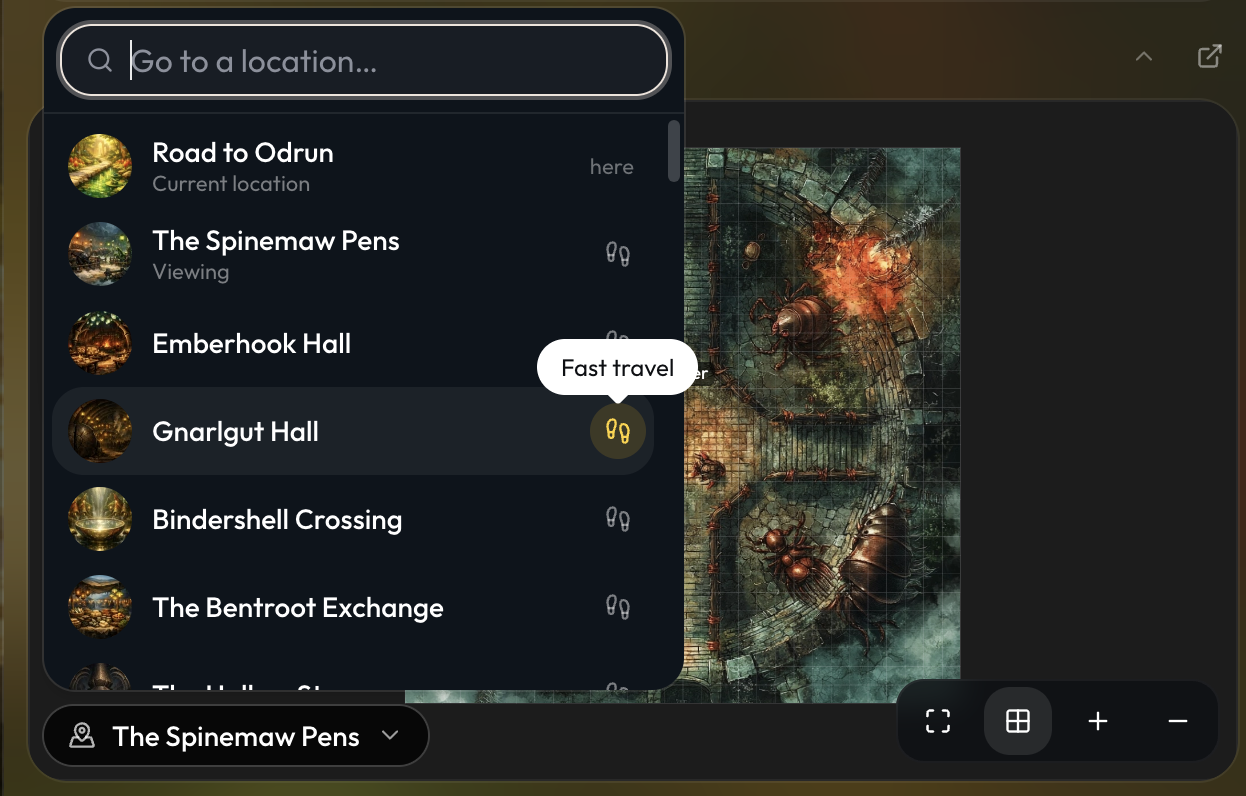
Through the in-game mini map, you can now search through locations and have a one click button to travel to a new location directly.
Improvements and Fixes
-
Improved Orbit and Game Master file updates to follow each file type's field rules more reliably and recover from rejected changes.
-
Made file update cards easier to read with changes listed by field, and grouped unsuccessful Game Master actions inside the Actions list.
-
Fixed Orbit approval and Revert buttons sometimes doing nothing after messages refreshed.
-
Replaced unreadable chat error pages with clearer error messages.
-
Added clickable folder path breadcrumbs so you can move back through parent folders.
-
Added Previous and Next controls for reviewing changes in layout and field-definition imports and the AI layout editor.
-
Added a Wrap Text option for tables in custom layouts.
-
Fixed a bug where you could not clear a file type’s field limits.
-
Fixed removed file references remaining unavailable in the picker until you refreshed the page.
-
Fixed reference inputs overlapping neighboring columns in custom layouts.
-
Uninstalling packages now also removes any unused file types from that package.
-
Updated Studio downloads to use your image and video names.
-
Fixed an issue with the image model picker not working on mobile devices.
-
Fixed opening the bulk image editor from the command palette.
-
Restored game sidebar controls on portrait tablets and fixed pop-out close and minimize buttons on touchscreens.
-
Made library card selection, menus, type labels, and visibility badges consistent across projects and visual novels.
-
Made the Explicit content filter available directly in Discover and community package filters for signed-in users, with an 18+ confirmation when first enabled.
-
Fixed long feedback forms so all fields and the submit button remain reachable by scrolling.
-
Added a clear update-required message when using an outdated Craft CLI.