
Patch Notes B0.035: Project Collaboration
Project Collaboration
Many of you have been asking for ways to build projects together, so here it is! You can now invite your friends and work together on building out expansive projects in Craft. This is the first step to more collaborative and social features that will also be coming soon.
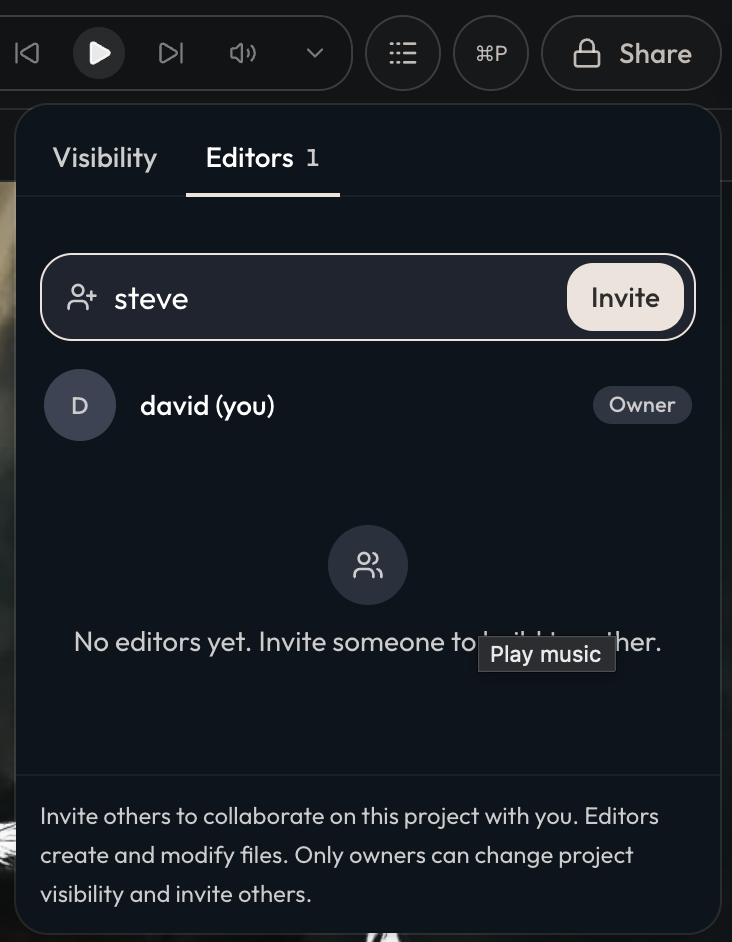
To get started, you can invite others to work on a project with you via the Share button within a Project:
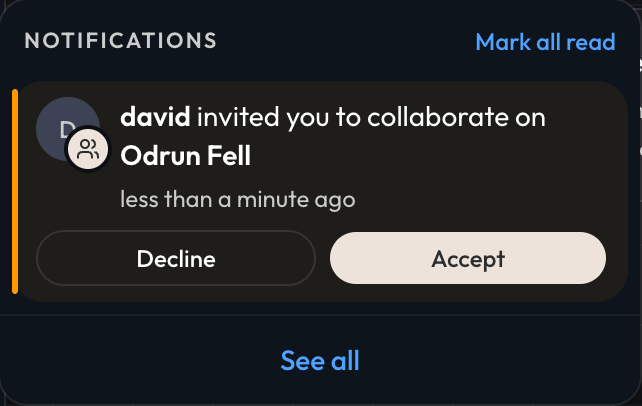
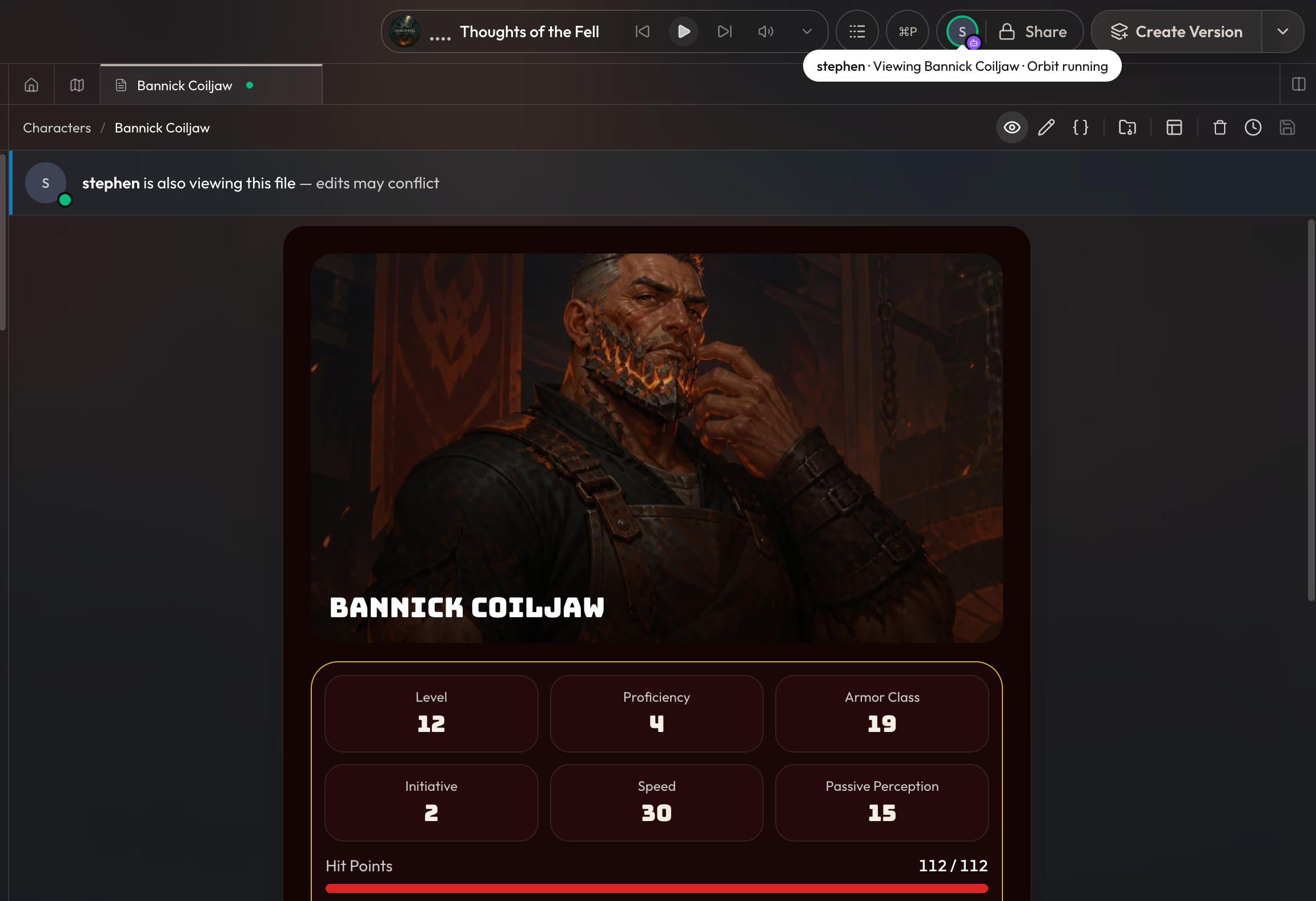
Your friend will receive a notification of the invite to join your project. Once they're in, they'll be able to create and edit project files and settings. You'll also be able to see in realtime which files they're browsing or working on, and whether or not they have orbit running as well via the realtime indicators. Click on their avatar to jump directly to the file or tab they're currently on.
Some things to be aware of with how project collaboration works,
- You can invite up to 4 other editors to work on a single project.
- Only the owner can create versions, publish, change visibility settings, and invite other editors.
- Only the owner can create and edit packages within a project.
- For now, any creator earnings on a project go directly to the owner. In the future we'll likely add settings that lets the owner automatically split the earnings, but for now we recommend owners using tips to share any earnings a project may earn.
- If multiple people are using the CLI or Orbit, it's best to communicate with each other so that changes done by AI don't overwrite and conflict with each other when done at the same time.
Other Updates
- GPT 5.6 Sol costs are over 20% lower after updated pricing from OpenAI. Additionally there's a 50% limited time discount on top of the price adjustment.